
Retail, Simplified.
Streamline checkout, manage stock and track your business performance with SQL POS.
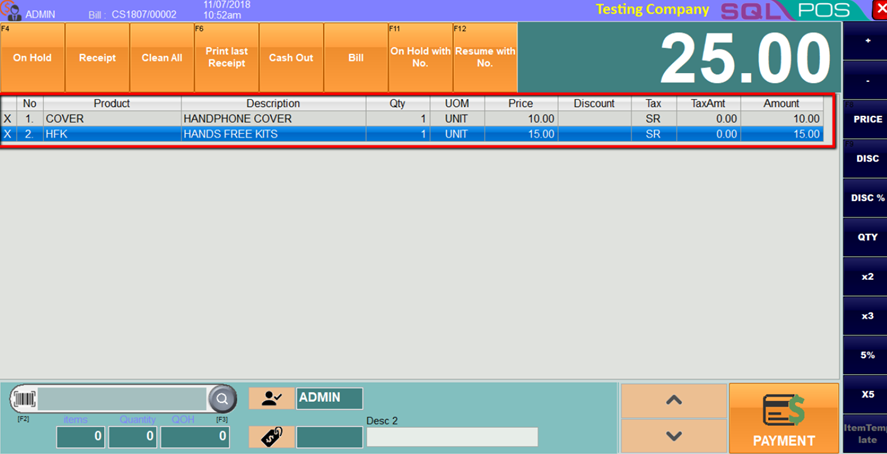
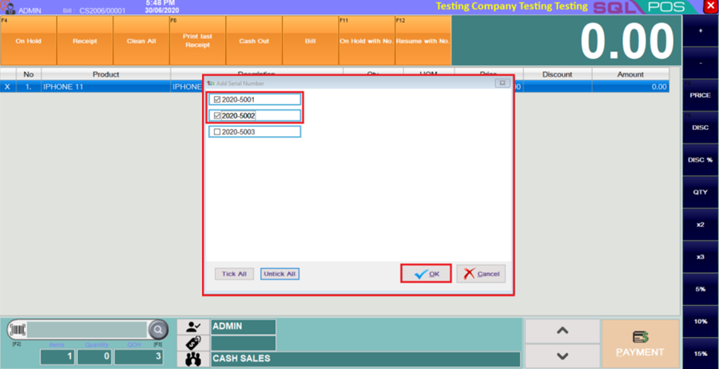
Sell Faster. Manage Smarter.
Simplify retail operations with SQL POS. Manage checkout, payments, inventory and customer information through one connected retail platform. Keep sales and stock records organised while connecting store operations with SQL Accounting for better business visibility.
One retail system. Everything working together.
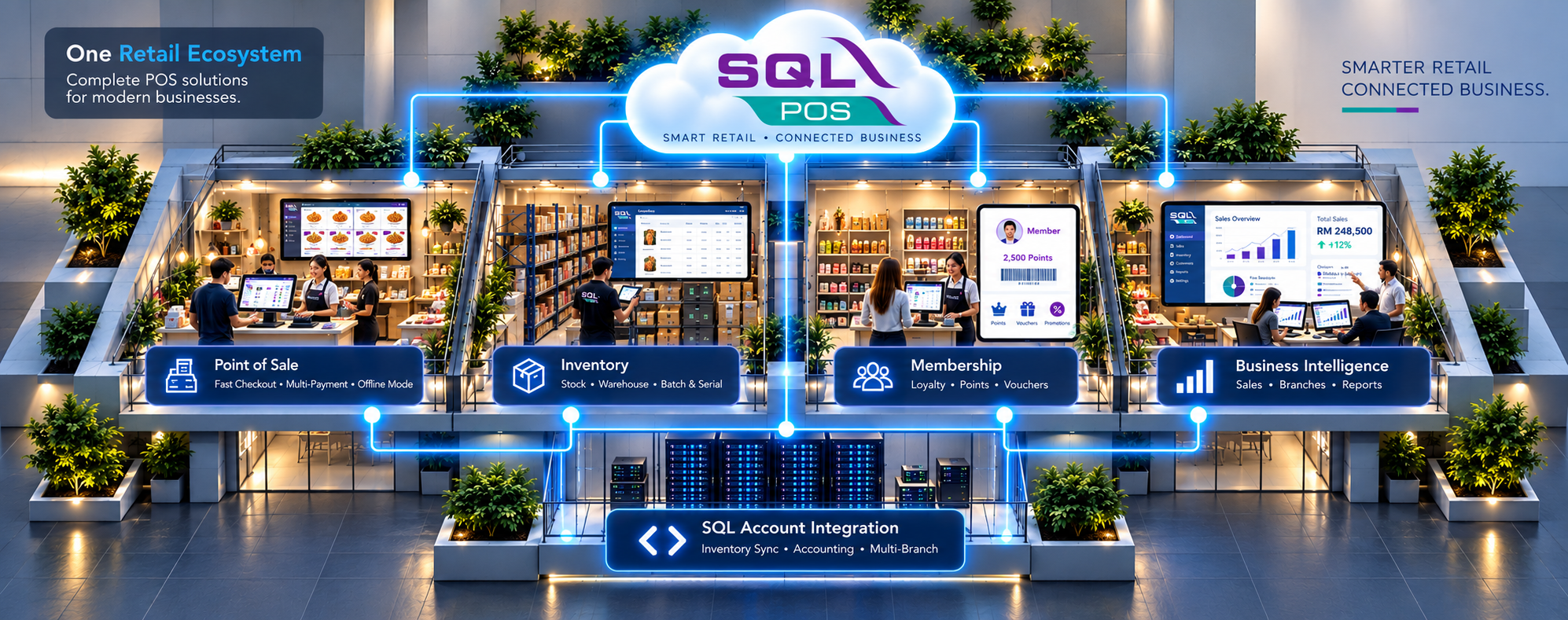
Select an area in the diagram or use the six options below.
SQL POS Retail Ecosystem
Connected retail operations
SQL POS connects the selling counter with inventory, customer records, payment handling and SQL Account data to help retailers maintain a consistent workflow.
- Counter-to-back-office flow
- Inventory information
- Customer records
SQL POS Retail Ecosystem
Fast counter transactions
Process everyday sales with product entry, item pricing, discounts, on-hold bills and partial or multiple payments, according to your SQL POS configuration.
- Item and barcode entry
- On-hold customer bills
- Flexible payment options
SQL POS Retail Ecosystem
Stock and pricing visibility
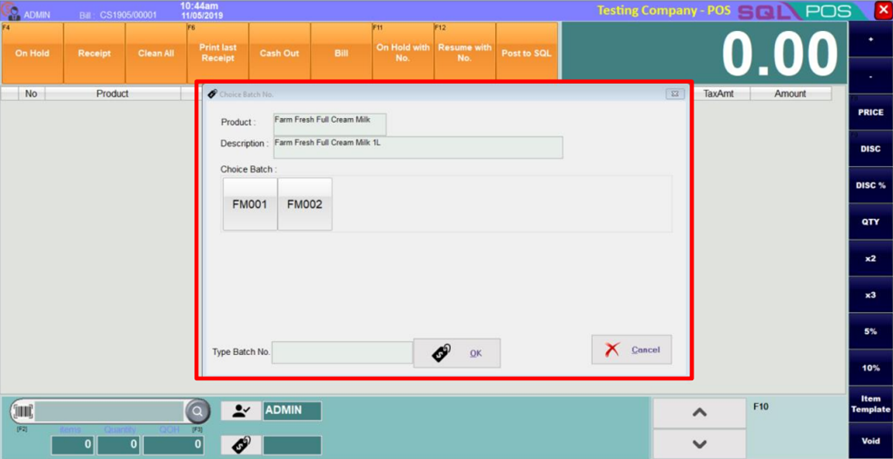
Connect SQL POS to SQL Account for inventory information, centralized stock administration and supported multi-warehouse, serial number, batch and expiry tracking.
- Stock synchronization
- Multi-warehouse support
- Batch and serial controls
SQL POS Retail Ecosystem
Recognize returning customers
Use the optional SQL POS membership functions to select members, capture qualifying points, check balances and redeem vouchers or points when properly configured.
- Member selection
- Points and vouchers
- Configured member pricing
SQL POS Retail Ecosystem
Clearer sales information
Review POS transactions and connected business information through SQL POS and SQL Account reporting workflows to support routine sales and stock analysis.
- Sales transaction records
- Sales performance review
- Stock visibility
SQL POS Retail Ecosystem
Connect the counter to accounting
Use SQL Account integration to keep relevant retail records aligned and post supported POS transactions back to the accounting workflow, subject to setup and synchronization settings.
- Item and price data
- Customer information
- Accounting connection
Explore the software behind every retail sale.
Browse 20 authentic SQL POS and X-Pos interface screenshots across five areas. Choose a category on the left, then select a feature to explore its screen and purpose.
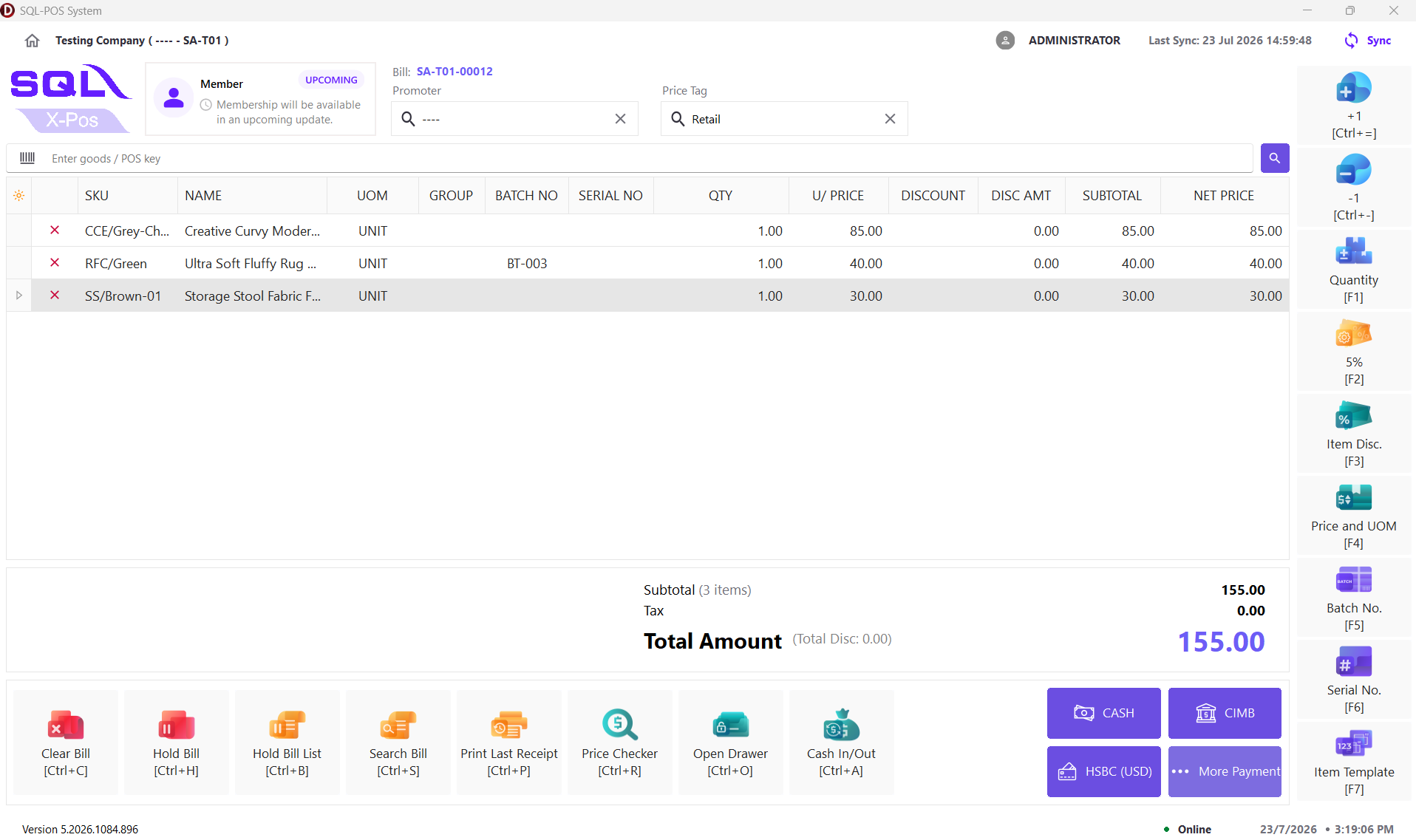
Classic Checkout
The X-Pos checkout workspace provides barcode item entry, cart totals and cashier actions.
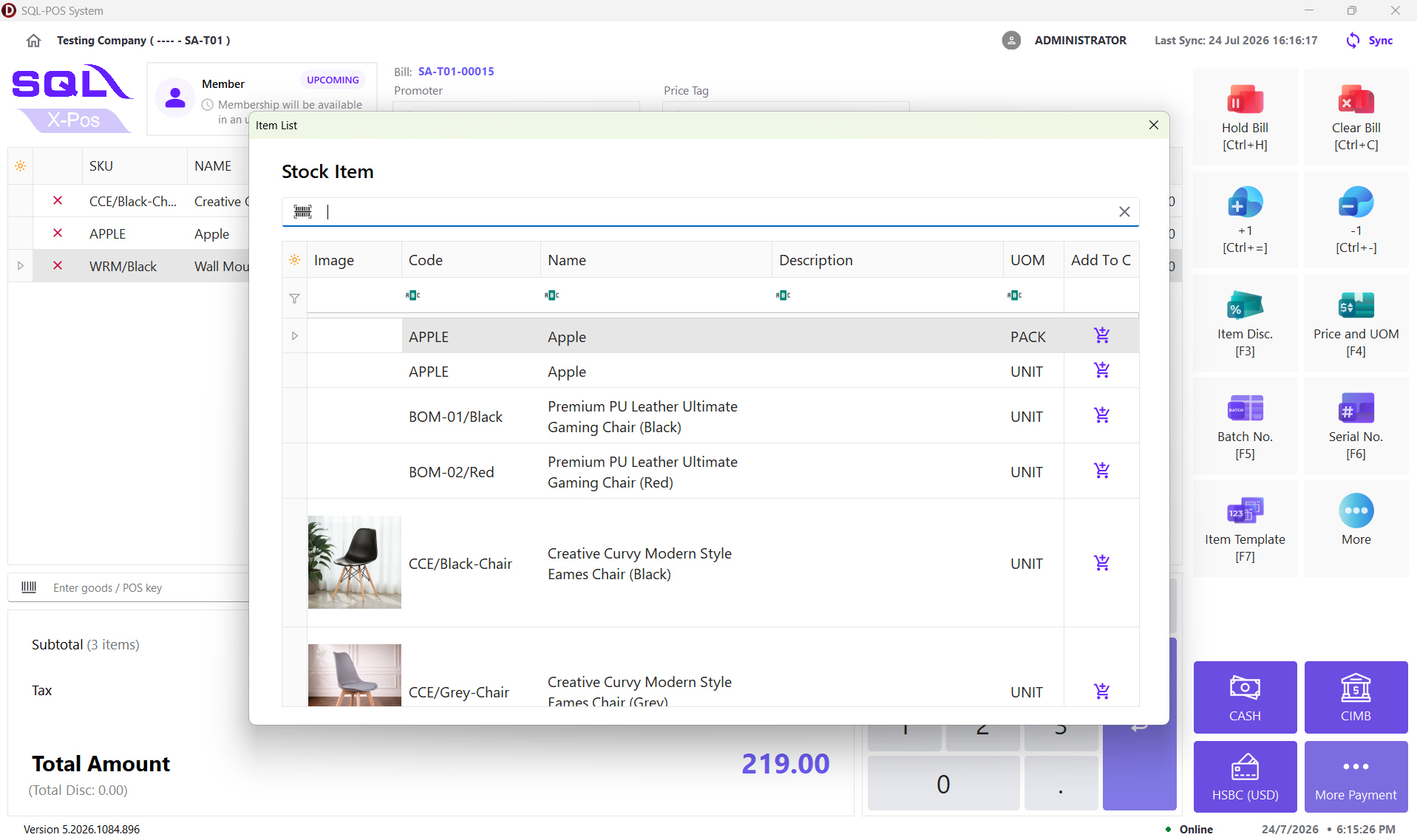
Product Search
Cashiers can find stock items and add them to a running sale.
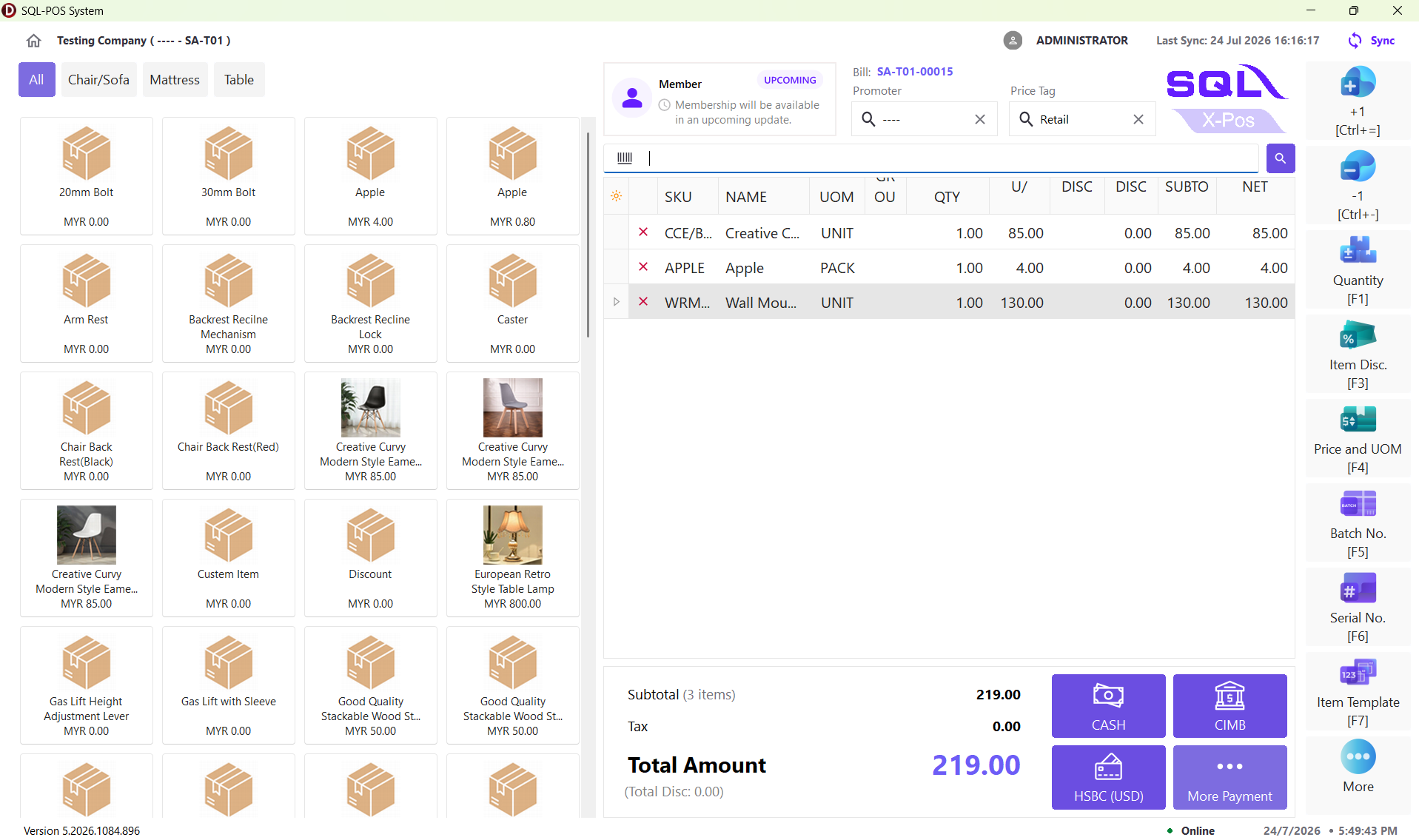
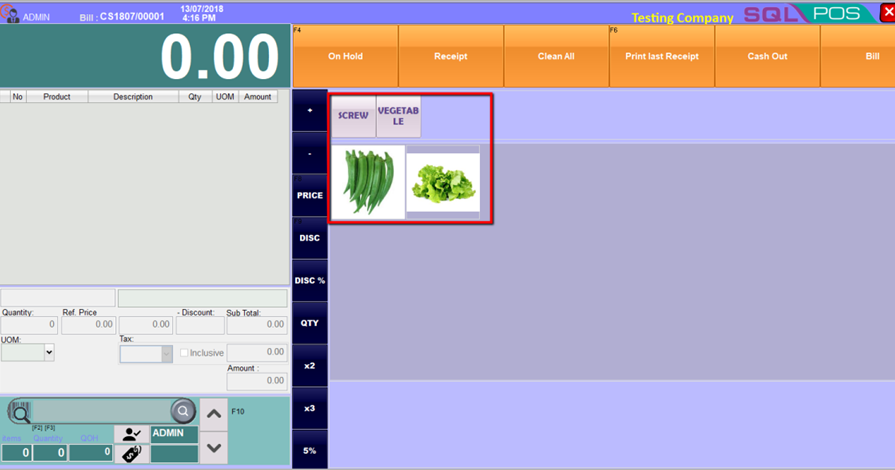
Visual Catalogue
Catalogue layout provides product tiles and category selection for touch-based ordering.
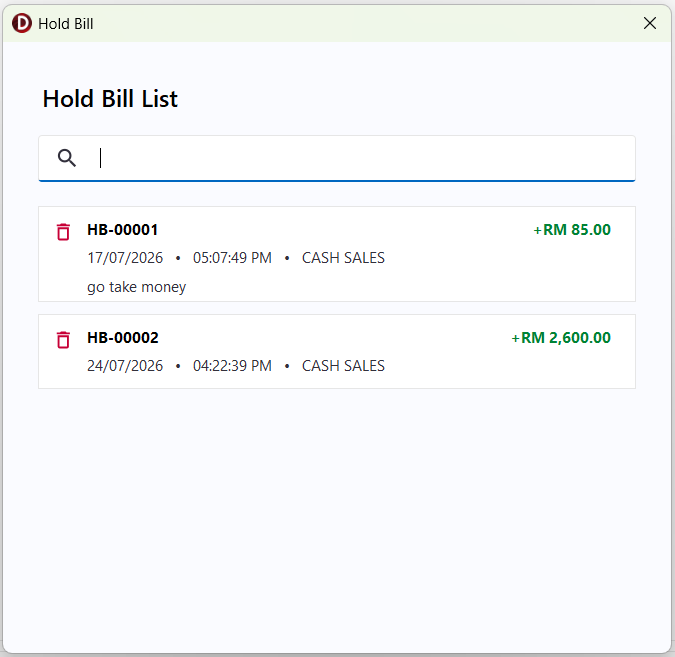
Hold & Recall Bills
Save an unfinished sale and retrieve it later at the counter.
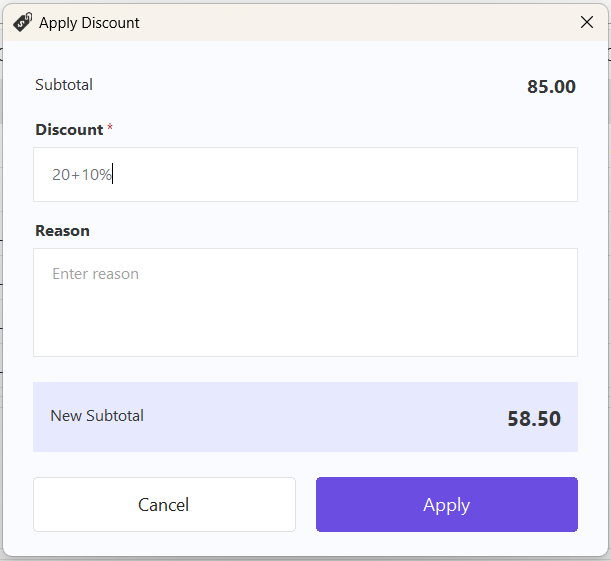
Item Discount
Apply an item discount with an optional reason before proceeding.
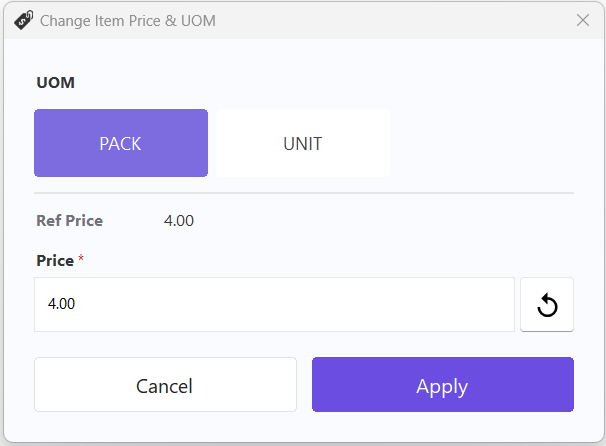
Price and UOM
Choose a unit of measure and review its associated selling price.
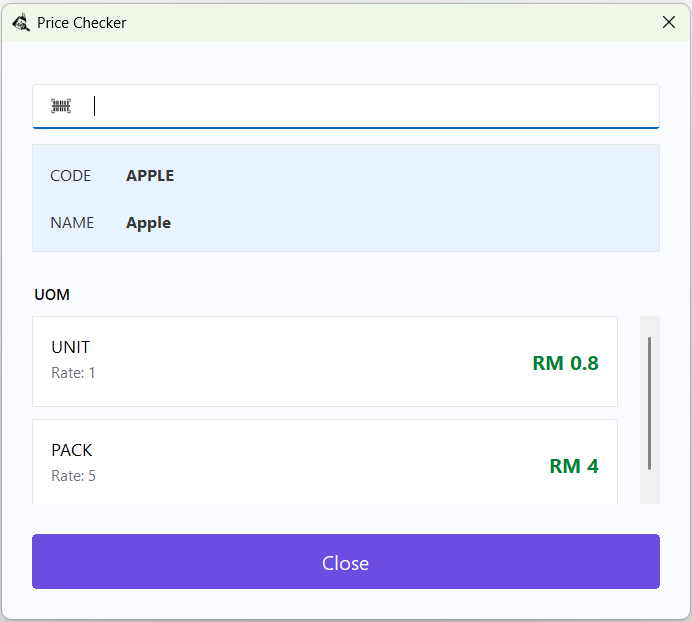
Price Checker
Look up retail prices and units for an item using a barcode or item code.
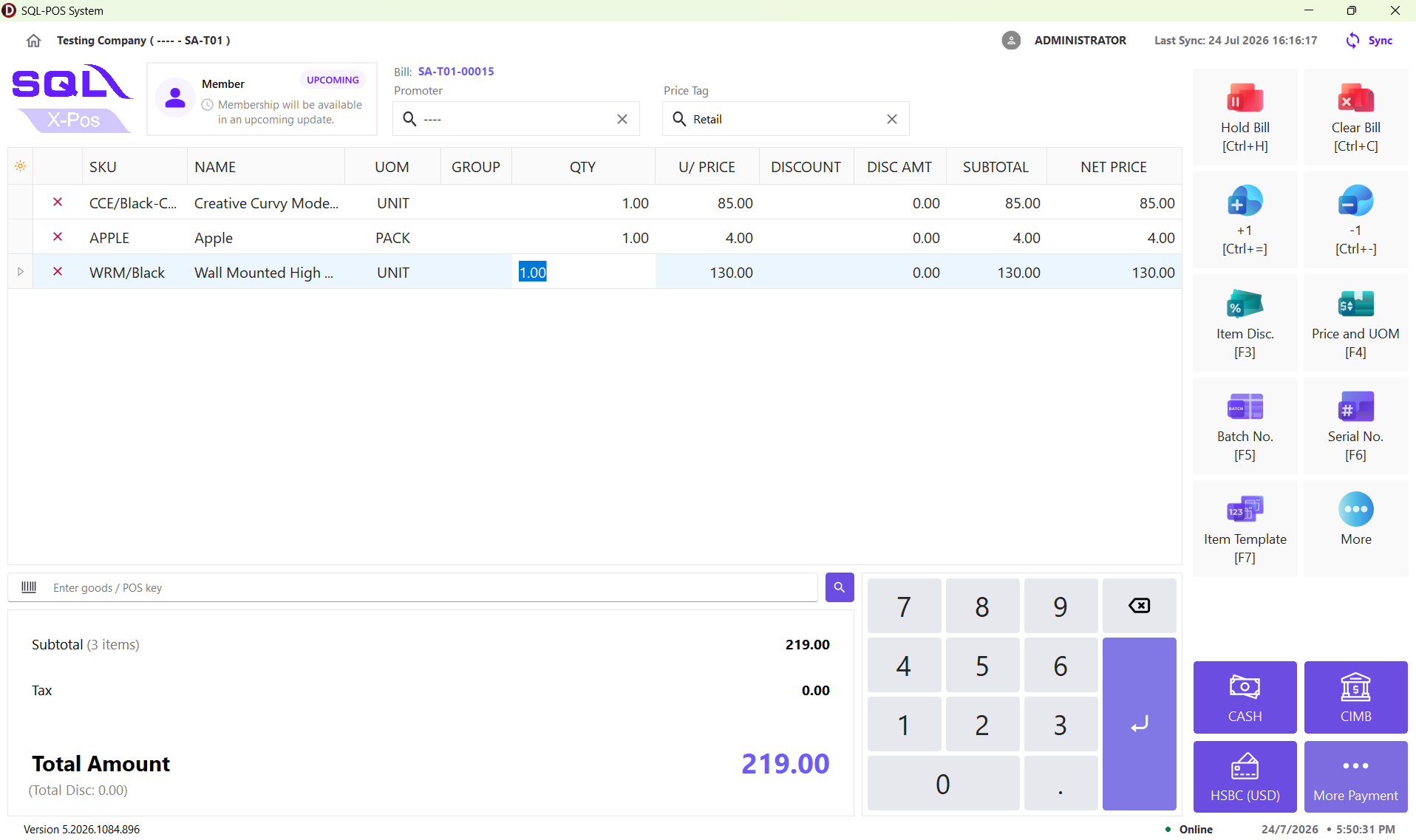
Touch Layout
Use an on-screen numpad to enter quantities in a touch-based layout.

Select a Member
Attach a customer membership record to a POS sale. The screenshot shows legacy SQL POS.
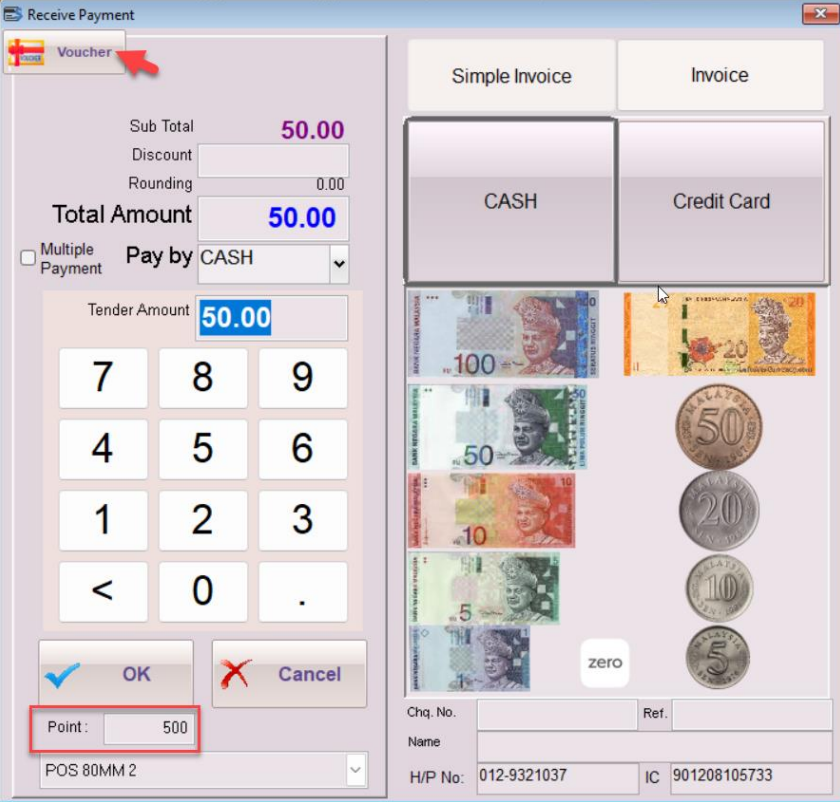
Points During Payment
View membership points during payment in legacy SQL POS.
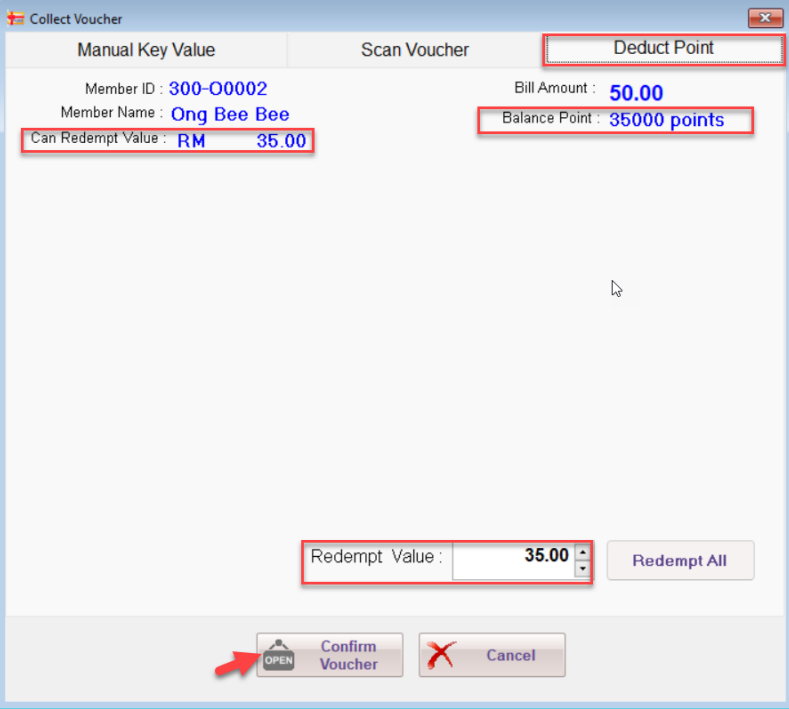
Point Redemption
Choose a redemption amount from the eligible member points balance.
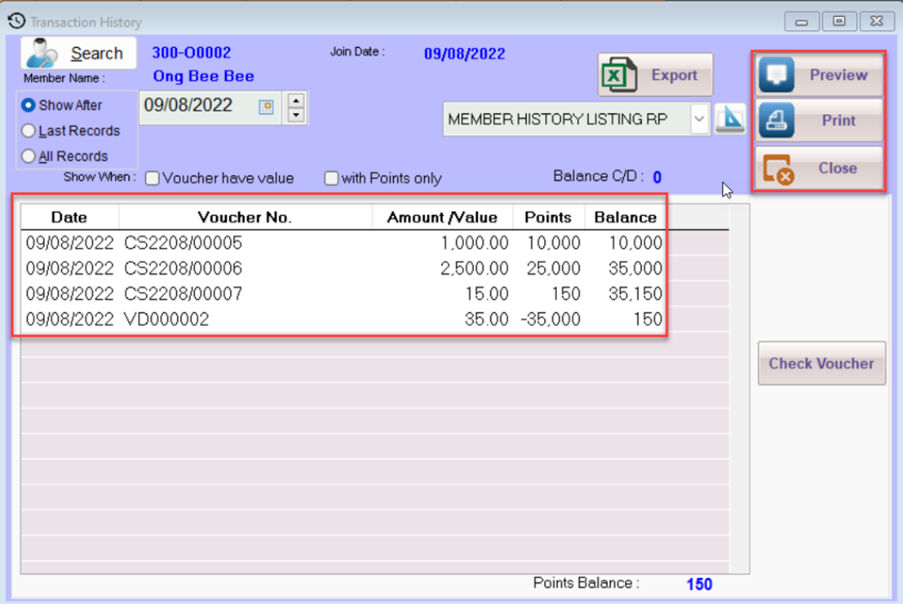
Membership History
Review historical point gains and redemptions for a member.
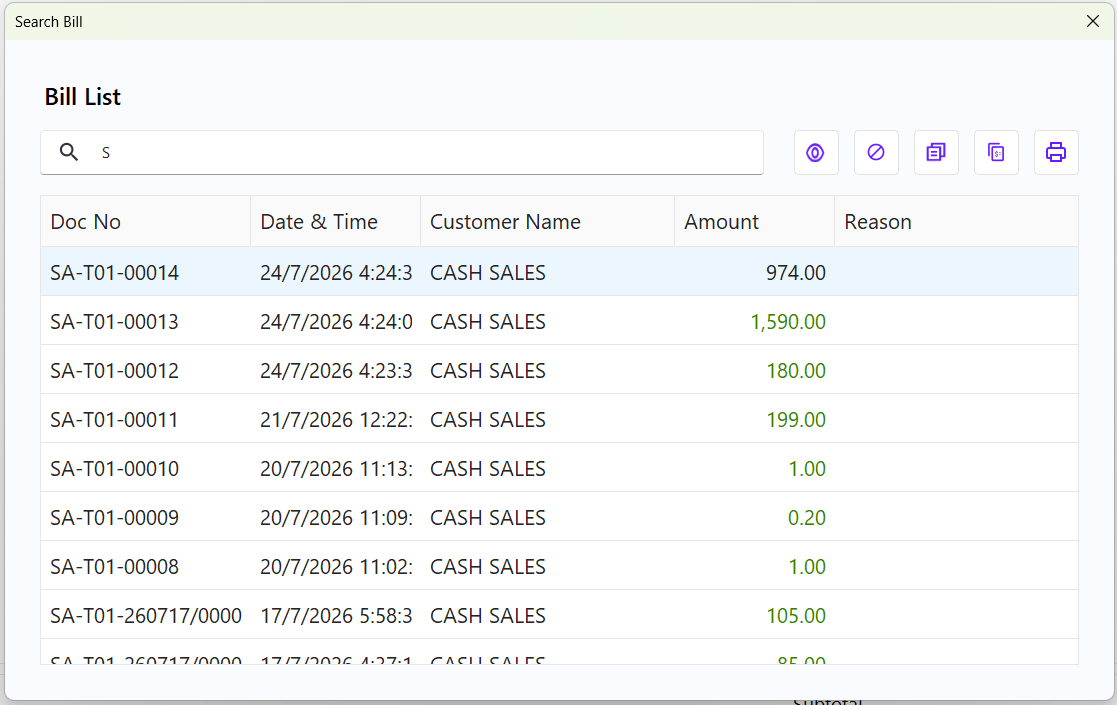
Search Sales Bills
Look up completed sales transactions and available inquiry actions.
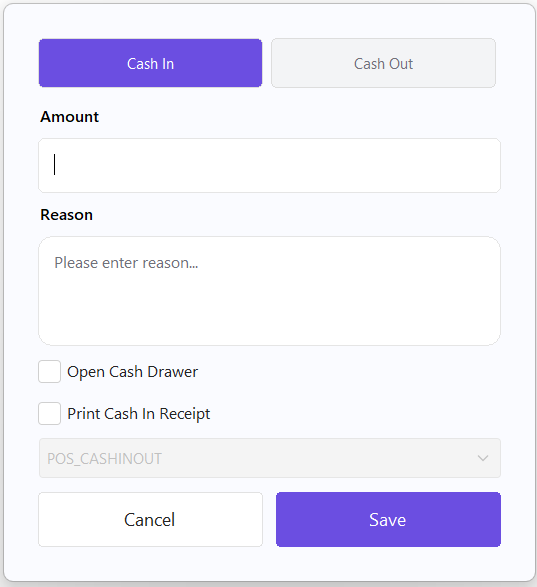
Cash In / Cash Out
Record drawer cash movements outside completed sales.
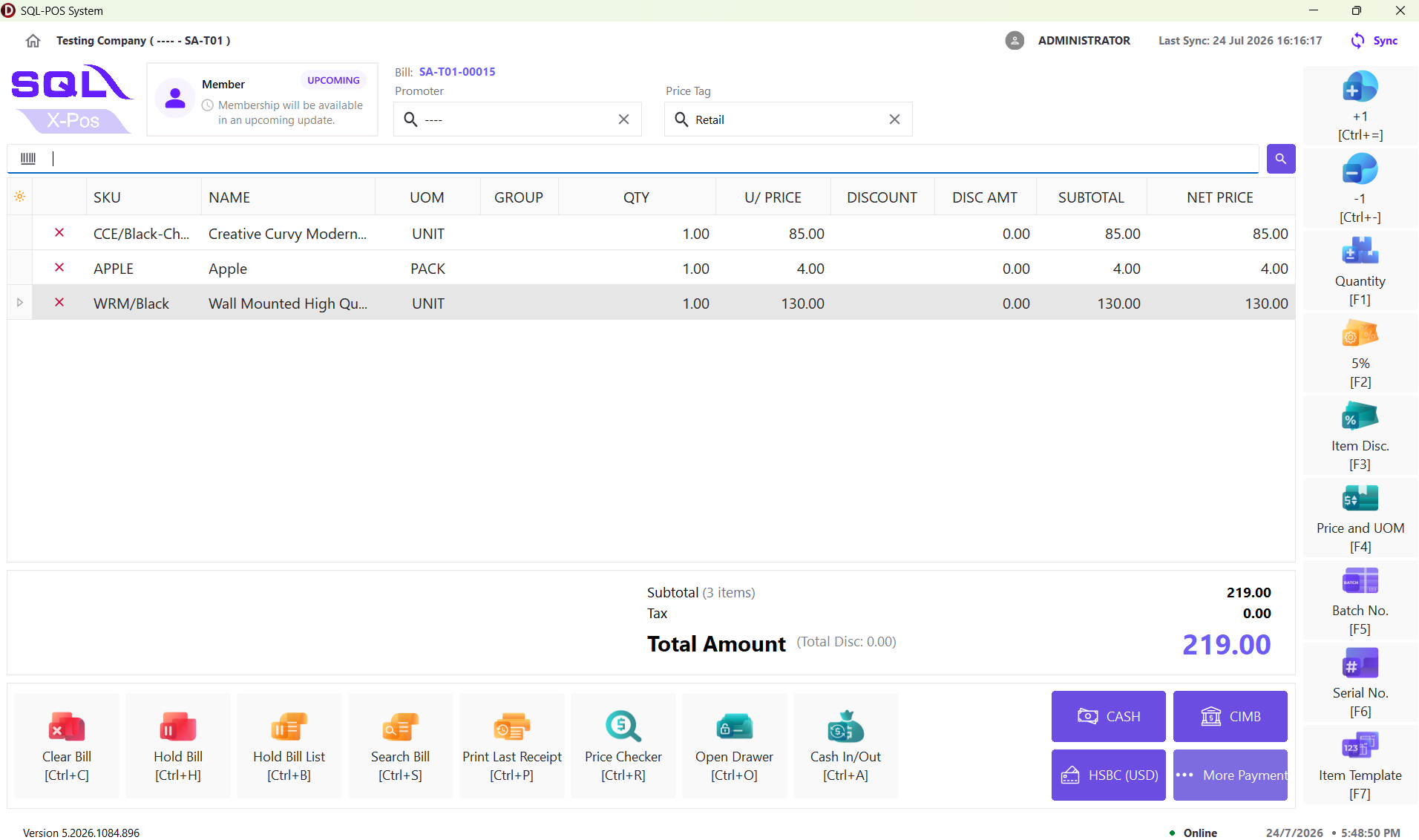
Classic Counter Layout
Use the standard X-Pos keyboard-and-mouse transaction layout.
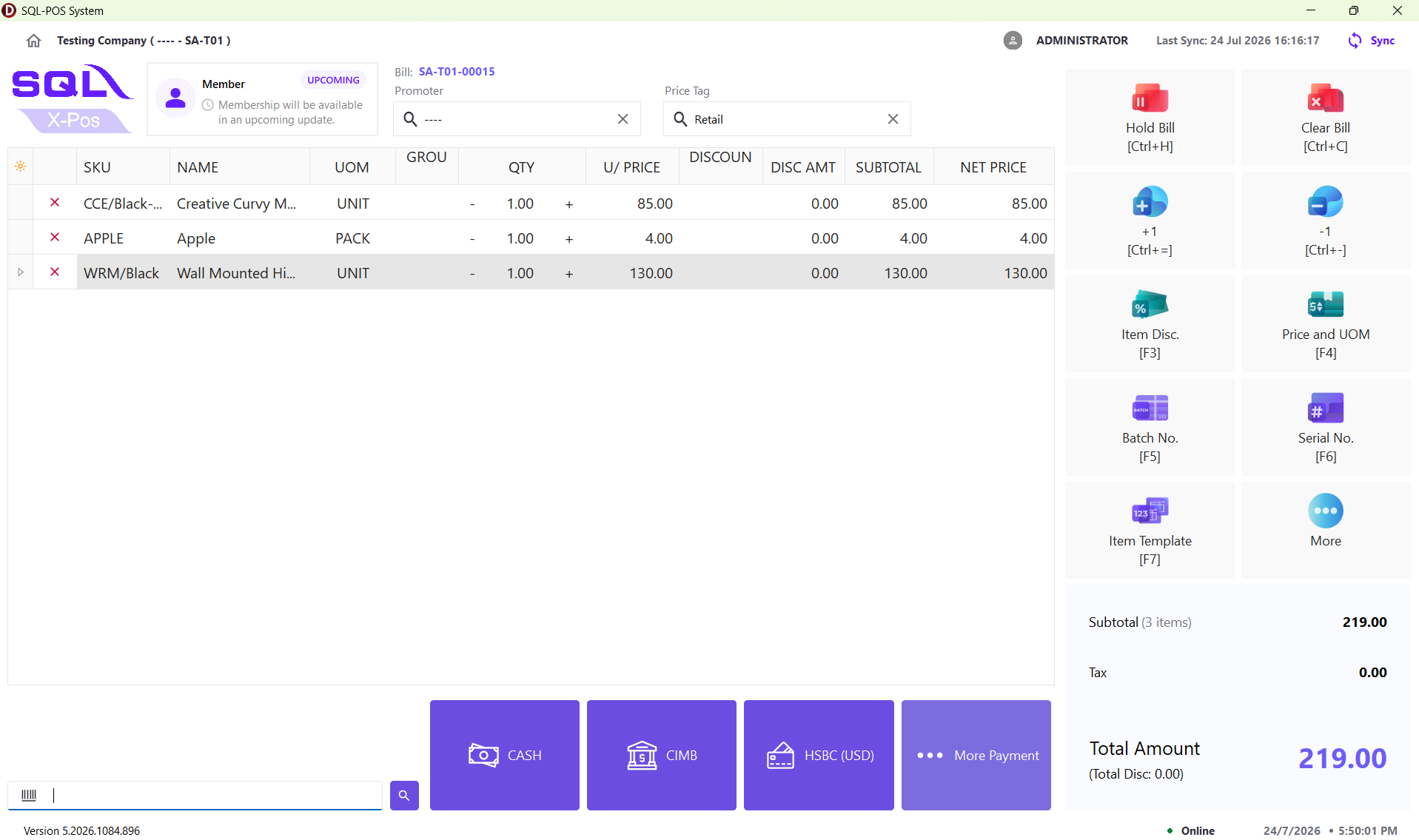
Simple Touch Layout
Use dedicated checkout action buttons and item-row quantity controls.
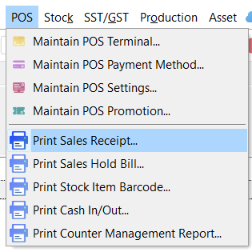
Receipt Report Menu
Access SQL Account POS reporting and receipt-template options.

Receipt Data Preview
Preview receipt data with sample transaction fields in SQL Account.
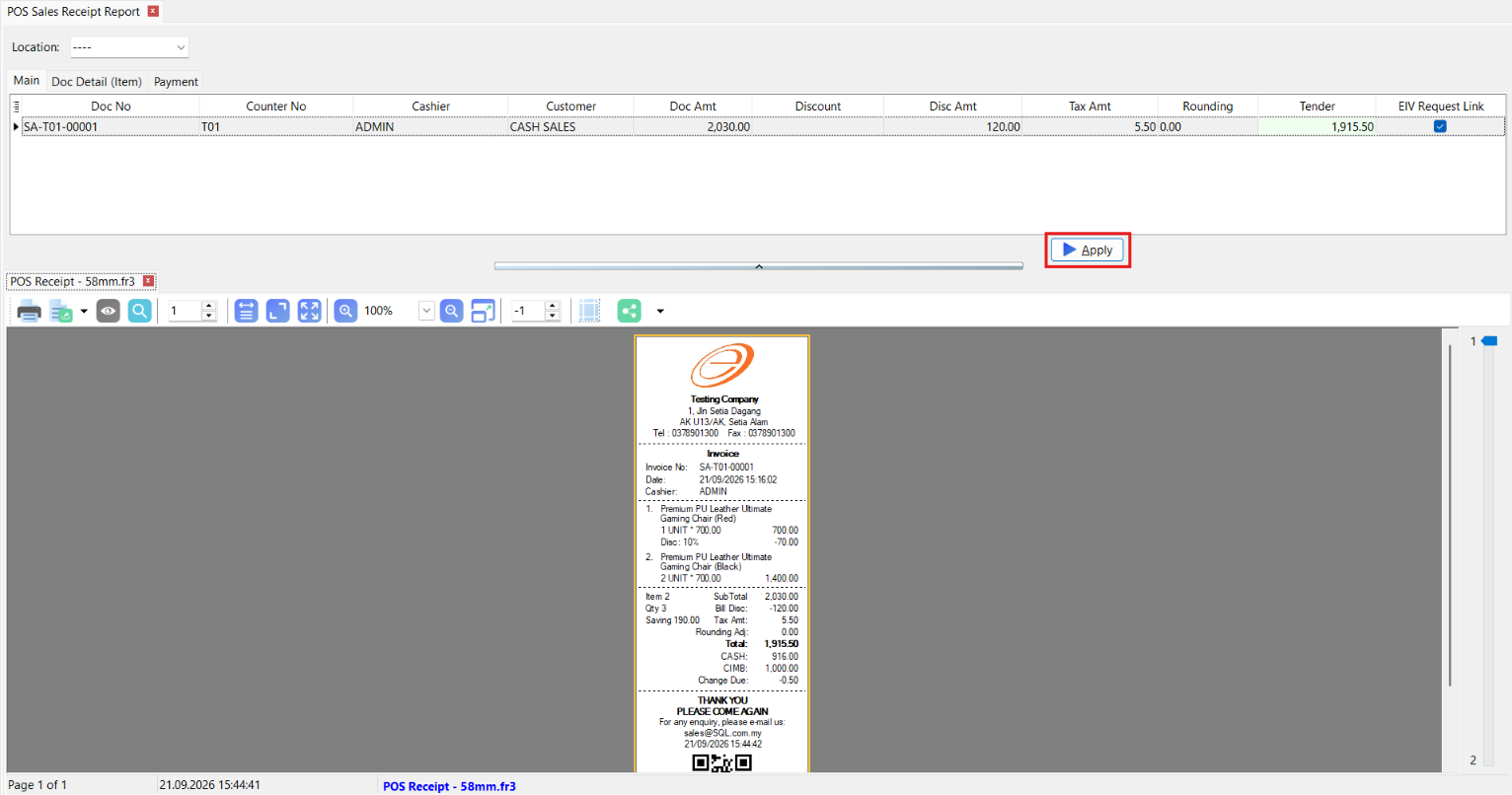
Printed Receipt Preview
Check the formatted sales receipt before deploying the template to a terminal.
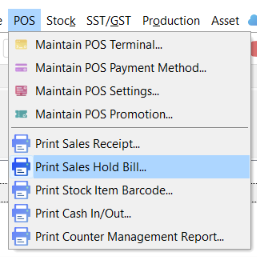
Hold Bill Reports
Locate the sales hold-bill print function in the POS report menu.
From counter sales to connected stock control.
Explore real SQL software screens in two practical processes: checkout with SQL X-Pos, and purchasing through SQL Account. Choose a workflow, then select any step.
Open the retail selling screen
Start a transaction on the SQL X-Pos checkout screen, where the cashier sees the product grid, current bill and running totals.
A consistent counter workflow keeps the sale visible before tender.
Search for a product
Scan a barcode, enter an item code or search the stock item list to add the correct product to the cart.
Product selection helps staff check item identity and quantities before charging.
Adjust an item discount
Check the item amount and apply an authorized discount, optionally entering a reason, before confirming the updated subtotal.
Discount review reduces billing errors and helps maintain control over adjustments.
Resume a held transaction
Save a bill temporarily when a customer is not ready, then find the held transaction in the Hold Bill List and return it to checkout.
Staff can serve the next customer without discarding an incomplete bill.
Search a completed transaction
Use Search Bill to locate an existing sale by invoice number, review its details and access permitted reprint, copy or void actions.
The searchable bill history supports follow-up and transaction checks.
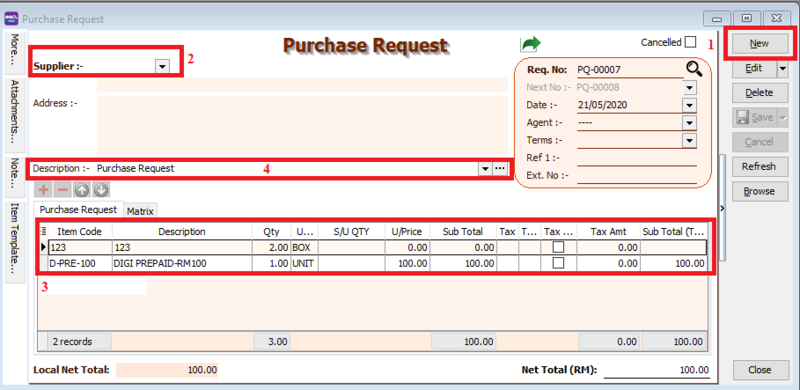
Raise a purchasing request
Create an internal Purchase Request in SQL Account and record supplier, items and expected quantities for purchasing review.
This optional starting point documents the requirement before ordering.
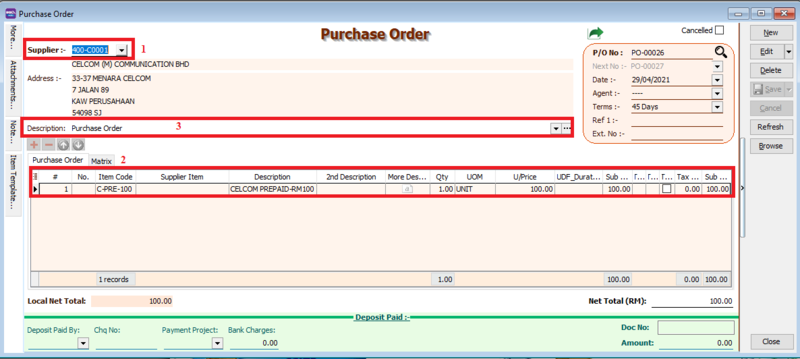
Place the supplier order
Prepare a SQL Account Purchase Order with supplier details, required items, quantities and agreed unit costs.
A purchase order records the commitment; it does not itself confirm stock receipt.
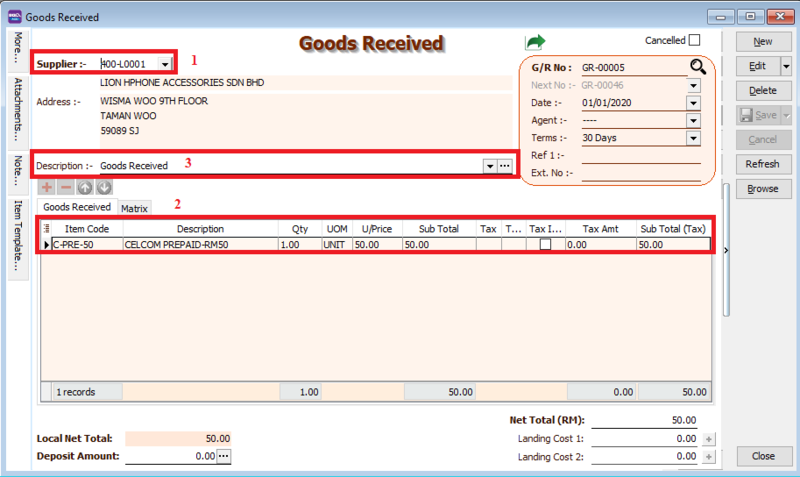
Record stock arriving
Use Goods Received in SQL Account to record delivered products and their actual quantities, optionally transferring data from a Purchase Order.
The Goods Received Note documents incoming stock against purchasing records.
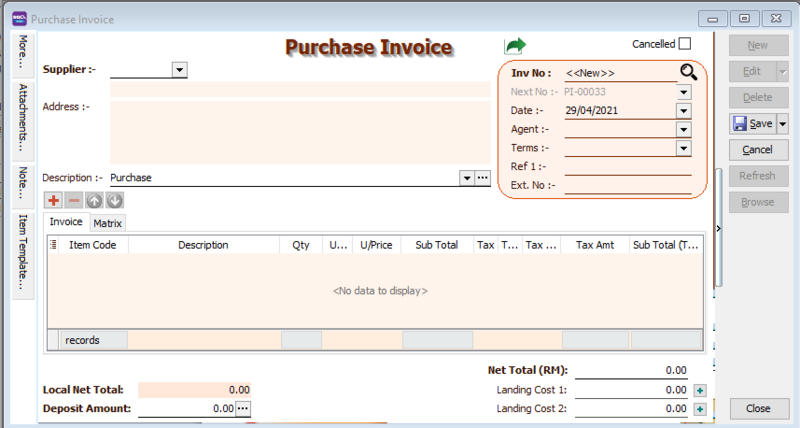
Enter the supplier invoice
Record the supplier Purchase Invoice and verify items, cost and supplier details; where appropriate, transfer information from Goods Received.
The invoice records supplier billing and supports the payable workflow.
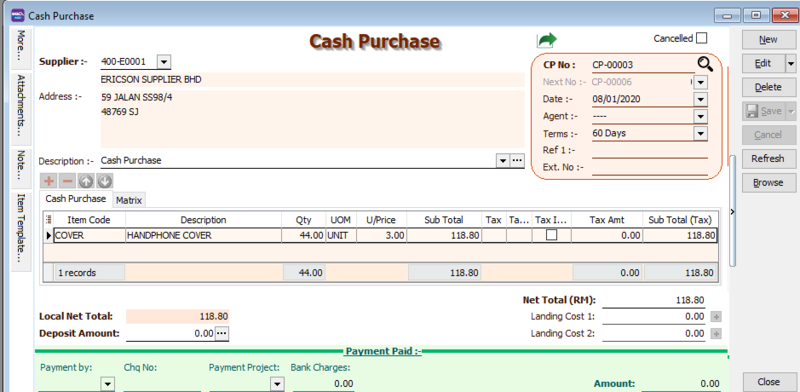
Record an immediate purchase
Where items are paid for at purchase, use SQL Account Cash Purchase to record the products and payment information in one document.
This is an alternative immediate-payment path, not a required step after every Purchase Invoice.
The second workflow illustrates SQL Account purchasing screens, not the SQL POS terminal. Procurement steps and integration behaviour depend on modules, licensing and configuration. Images show documentation examples, and versions may differ.
Less Complexity, More Control.
See how SQL POS simplifies checkout, inventory, membership, reporting and accounting workflows.
Slow checkout frustrates customers.
Manual item entry and payment handling can delay counter sales.
Simplify counter transactions.
SQL POS supports barcode entry, discounts and flexible payment workflows.
- Scan products and enter items
- Apply configured discounts
- Handle supported payment methods
Stock information gets outdated.
Disconnected stock records make it harder to track item availability.
Connect stock and pricing data.
SQL POS can work with SQL Account to access supported item, price and inventory information.
- Review item and stock information
- Maintain supported pricing records
- Use configured stock synchronisation
Member benefits are hard to track.
Manual loyalty tracking can cause missed rewards and inconsistent member pricing.
Organise membership rewards.
Optional SQL POS membership features support member selection, points and voucher redemption.
- Identify returning members
- Track eligible loyalty points
- Redeem configured vouchers
Sales trends are difficult to see.
Scattered counter records can make daily performance harder to review.
Review sales more clearly.
SQL POS and connected SQL Account reporting can help review transaction and sales information.
- Review transaction records
- Monitor sales activity
- Check connected stock reports
Sales and accounts are disconnected.
Re-entering POS data into accounting creates unnecessary work and reconciliation risks.
Link the counter to accounting.
Supported SQL POS transactions and retail data can connect with SQL Account, depending on setup.
- Connect supported sales records
- Synchronise eligible item data
- Reduce duplicate data entry
Every retail transaction, handled with greater clarity.
See how SQL X-Pos supports item selection, pricing checks, customer recognition and transaction review. Select a stage to explore the practical workflow.
Create a clear basket before the transaction is finalised
Open SQL X-Pos and add products from item search or the product list. Confirm the selected items, units and quantities before moving on to pricing.
Check pricing before confirming the bill
Use the price checker or configured pricing controls to inspect item prices. Discounts and price adjustments should follow authorised cashier permissions.
Apply the correct member account where applicable
Select an existing member through the supported membership interface, confirm the account and review the member-related transaction context.
Keep a record that can be checked later
After payment, use the bill search or transaction lookup to review recorded sales. Staff can trace the receipt and relevant transaction details when addressing queries.
Keep customers moving and records organised.
Feature availability depends on SQL POS / X-Pos edition, connected SQL Account configuration and the retailer’s enabled modules.
Keep item selection, prices and transaction review in a consistent cashier process.
Example: High-volume retail counters with regular repeat sales.Select customer records and use the loyalty-related functions configured for the business.
Example: A specialty shop serving registered customers.Review completed bills and related details when following up on a customer enquiry.
Example: Checking a receipt or investigating a transaction.SQL POS / SYSTEM COMPATIBILITY
System requirements.At a glance.
Official workstation and server specifications.
| Operating system | Windows 10 or later; 64-bit recommended | Workstation / server |
|---|---|---|
| Workstation processor | Intel Core i5 or above | Minimum |
| Workstation memory | 4 GB RAM; 8 GB+ recommended | Minimum / recommended |
| Server processor | Intel Core i5 / i7 or above | Minimum |
| Server memory | 8 GB RAM; 12 GB+ recommended | Minimum / recommended |
| Storage | 10 GB free; SSD recommended | Both |
| Server networking | 100 Base-T network interface | Server |
| Database and accounting | Firebird + SQL Accounting | Confirm version |
SQL POSFits the Way You Sell.
From a busy neighbourhood mini market to a specialist retail store, each business needs dependable checkout and stock control. SQL POS connects daily counter sales, inventory and customer records with SQL Accounting.
One connected retail workflow, different shop types. SQL POS supports barcode-driven checkout, multiple payment options and stock management across everyday retail operations.
 01 / 05
Mini Markets & Grocery Stores
Move customers through busy checkout periods with barcode sales, flexible payment methods and connected stock information.
 02 / 05
Bookstores & Stationery Shops
Organise extensive titles and stationery items with barcode lookup, product pricing and streamlined counter sales.
 03 / 05
Hardware & DIY Stores
Handle broad product ranges and multiple pricing needs while keeping transactions and inventory records connected.
 04 / 05
Pharmacies & Medical Stores
Support efficient checkout and structured stock management, including batch and expiry controls where configured.
 05 / 05
Boutiques & Specialty Shops
Manage changing product selections, customer pricing and flexible payment options from a connected retail counter.
Retail checkout that works with your store.
Whether you run a mini market, bookstore, hardware shop or pharmacy, the right SQL POS setup depends on your product catalogue, retail hardware and SQL Accounting configuration.
More control for every retail operation.
Explore SQL POS and SQL X-Pos functions for flexible checkout, pricing, membership and inventory traceability, with SQL Account providing connected business records.
Multi-Outlet Visibility
Support multiple configured store locations and review operations through connected SQL Account data.
Flexible Checkout Layouts
Choose between Classic, Numpad, Catalogue, Simple Touch and Touch X-Pos layouts to suit cashiers.
Price & UOM Control
Select available units of measure and reference prices, with authorized price changes where configured.
Batch & Serial Tracking
Assign batch or serial information to supported stock items using the applicable SQL Account and POS settings.
Membership & Vouchers
Legacy SQL POS can manage configured member points, voucher redemption and selected membership discounts.
Payment Configuration
Configure supported payment methods and map relevant transactions to SQL Account records.
User Access & Counter Control
Assign cashier rights and apply counter-closing safeguards according to configured POS permissions.
SQL Account Integration
Synchronize applicable POS items, customer details, location settings and transaction information with SQL Account.
Use these practical SQL POS and X-Pos capabilities to keep sales moving while maintaining clearer item and counter records.
Barcode & Item Search
Enter an item code or scan a barcode at the sales screen.
Faster product entryHold & Resume Bills
Temporarily save a cart and reopen it when the shopper returns.
Fewer interrupted checkoutsDiscount Controls
Adjust eligible item-level discounts with optional reasons in X-Pos.
Consistent promotional sellingPrice Checker
Check an item’s available UOMs and reference prices without finalizing a sale.
Better price clarityCash In / Cash Out
Record non-sales cash movements for float management and counter balancing.
Clearer cash recordsReceipt & Report Templates
Prepare compatible POS reports and receipt layouts via SQL Account tooling.
Consistent store documentsExplore the cashier workspace.
The SQL X-Pos Classic checkout brings item entry, quantities, discounts, totals and payment actions together for counter staff.
Browse merchandise visually.
The Catalogue layout shows image-based product tiles, helping retailers choose items by category rather than typing codes.
Apply item discounts
Enter a discount expression and, when required, an optional reason. The interface calculates a new subtotal.
Resume held bills
View bills placed on hold and select a saved transaction to restore the cart when the customer is ready.
Check product prices
Search an item to review its reference prices and available units of measure without opening a new sale.
Flexible checkout backed by better-connected records.
Choose a POS layout that works for your counter, configure the product and payment controls you need, and connect supported sales and inventory data with SQL Account. Confirm the exact product generation and modules before deployment.
One SQL POS. Different Ways to Run Your Store.
Explore how SQL POS and its SQL Account integration support everyday retail checkout, specialty stores, multiple cashiers and growing outlet networks.
Barcode / lookup
Prices / discounts
Cash / card / split
Receipt / records
Everyday retail, made easier at the counter.
SQL POS supports everyday shop transactions, including barcode-driven item entry, customer pricing and supported payment methods.
Feature availability, synchronisation behaviour and payment hardware depend on the SQL POS or X-Pos version and setup.
Code / description
Variant / pricing
Availability / batch
Payment / receipt
Support more than a simple barcode sale.
For hardware shops, pharmacies, bookstores and other specialty retailers, SQL POS connects checkout to product details and relevant stock information.
Serial, batch, expiry and pricing capabilities depend on configured SQL Account and SQL POS modules.
Cashier transactions
Separate checkout
Pricing / users
Counter reporting
One store. More than one cashier.
SQL X-Pos supports scalable retail counter operations, helping businesses handle more customers while keeping settings and reporting organised.
Terminal access, sharing and connectivity depend on deployment, licensing and network configuration.
Master records
Local transactions
Local transactions
Sales / stock data
Better visibility as your retail footprint grows.
Connect suitable SQL POS outlet setups with SQL Accounting to coordinate product records, stock information and management reporting.
Multi-outlet architecture, centralised data, sync timing and offline behaviour depend on the chosen SQL configuration.
Frequently Asked Questions
Practical answers about SQL POS, X-Pos checkout, stock synchronisation, membership, e-Invoicing and choosing the right configuration for your retail business.
What is SQL POS, and how is X-Pos different?
SQL POS is a retail point-of-sale solution designed for checkout, payment collection and connected stock/customer records. SQL X-Pos is a documented newer terminal experience with multiple checkout layouts and configurable controls. Your preferred setup depends on hardware, licensing, existing SQL Account deployment and cashier workflow.
Can SQL POS manage barcode scanning, discounts and payments?
SQL X-Pos checkout supports adding products by barcode or item code, adjusting quantities, selecting price/UOM and applying item discounts. Available payment methods are used to complete the sale. The checkout also includes held bills, bill search and receipt-related actions, subject to access and configuration.
How does SQL POS connect with SQL Account inventory?
SQL POS and X-Pos work with SQL Account data. In X-Pos, terminals first synchronise the company and POS setup, then use configured item and price information during sales. SQL Account provides broader stock management functions, while synchronisation and transaction posting depend on the configured integration method and connectivity.
Does SQL POS support member points and vouchers?
The documented legacy SQL POS membership module supports selecting members when issuing a bill and configured point capture, voucher use and point redemption. Point capture relies on the required sales posting workflow in SQL Account. Membership availability should be checked specifically for the SQL POS edition and configuration selected.
Can SQL POS sales be used for Malaysia e-Invoicing?
SQL Account includes a Malaysia MyInvois e-Invoice workflow for supported sales invoices and cash sales. POS transactions need to reach the correct SQL Account workflow and contain the required buyer and tax information before e-Invoice submission. MyInvois onboarding, document submission type and current LHDN rules must be considered.
How do I set up SQL POS and get support?
Begin by identifying your outlet count, counters, stock requirements, payment devices and any membership needs. Configure SQL Account and the suitable POS terminal, synchronise the required data, test real sale and return scenarios, then train cashiers and supervisors before go-live. A reseller or implementation partner can help validate the appropriate architecture.