

Empower Your Business.
Manage accounting, sales, invoicing, inventory and financial reporting with Million Software — practical business solutions for businesses.
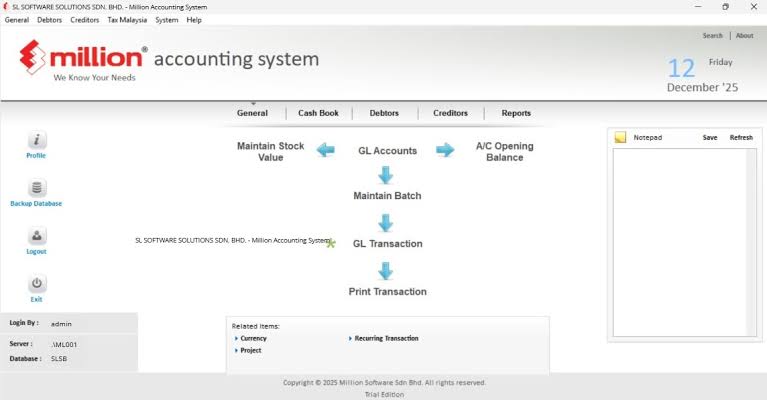
Simplify Business. Stay in Control.
Discover Million Software's business solutions for Malaysian companies, from general ledger, debtors and creditors to sales invoicing, stock control, point-of-sale and payroll. Explore the available products and practical workflows to find a suitable fit for your day-to-day operations.
One POS ecosystem. Every business connected.
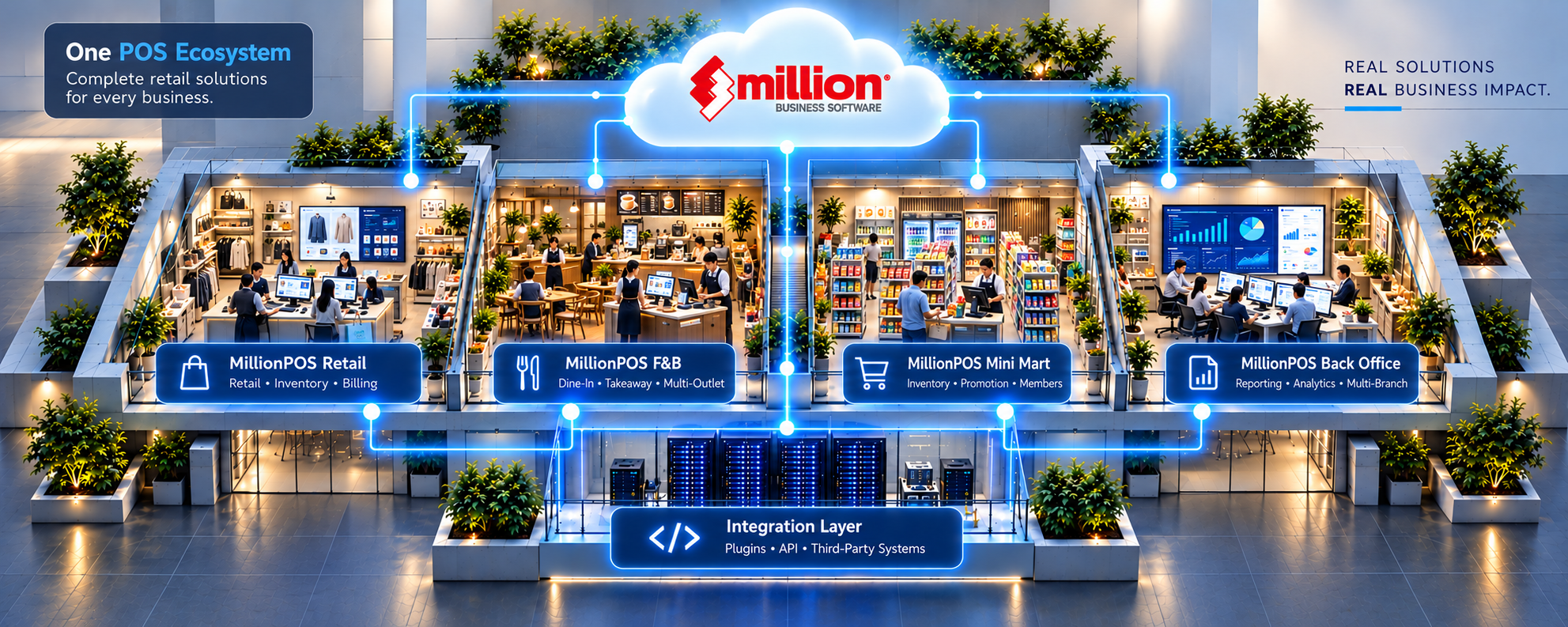
Select an area in the illustration or choose a Million POS solution below.
Million Business Software
A connected POS ecosystem
Million POS solutions support retail, food and beverage, mini market and back-office workflows. Select a business area to explore how its operations fit into the wider ecosystem.
- Retail and F&B workflows
- Store operations
- Business visibility
MillionPOS Retail
Retail checkout and inventory
Support day-to-day retail operations with point-of-sale checkout, sales billing and stock management. Suitable for shops that need to track transactions and inventory in one operational workflow.
- Retail checkout and billing
- Stock and item management
- Sales tracking
MillionPOS F&B
Food and beverage operations
Handle dine-in and takeaway sales with restaurant-oriented POS workflows. Multi-outlet operations and additional functions depend on the deployed edition and configuration.
- Dine-in and takeaway
- Order and payment workflows
- Outlet sales visibility
MillionPOS Mini Mart
Convenience retail management
Manage quick-moving products, counter sales and stock activity for mini markets and convenience stores. Promotions and membership functions depend on enabled features.
- Fast counter transactions
- Inventory management
- Promotions and membership options
MillionPOS Back Office
Reporting and business control
Review POS transaction data and operational performance through back-office reporting. Centralized and multi-branch functions depend on supported deployment and integration settings.
- Sales and performance reports
- Operational analytics
- Multi-branch options
Integration Layer
Connected POS workflows
Link POS operations with supported plugins, APIs or third-party systems where integration is available. Compatibility and data synchronization depend on the selected products and implementation.
- Supported plugins and APIs
- Third-party connectivity
- Configuration-dependent data exchange
Explore Million Software Through Real Interfaces.
Browse 26 different Million POS and Million Accounting interface screenshots, organized by software function. Every feature tab displays its own image and a description of the screen shown.

POS Cashier Overview
The Million POS checkout displays product lines, quantities, discounts and the current transaction total.
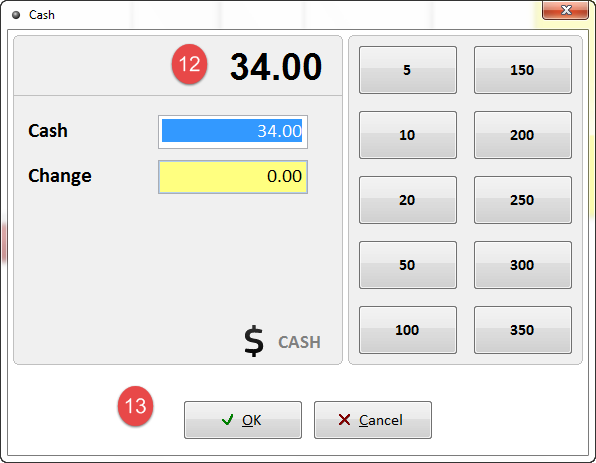
Cash Payment Entry
The cash dialog displays the amount due, tender controls and the change field.

Receipt Reprint List
The reprint window lists previous receipts by number, date, cashier and amount.
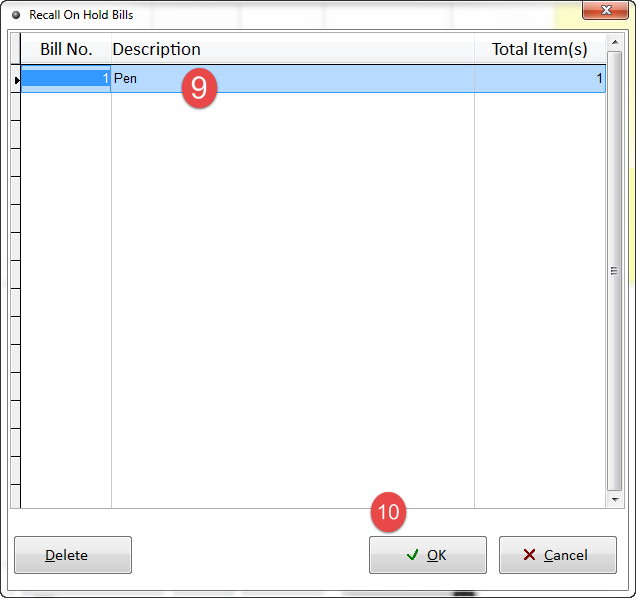
Recall Held Bills
The recall screen lists held bills so a cashier can select a transaction to resume.
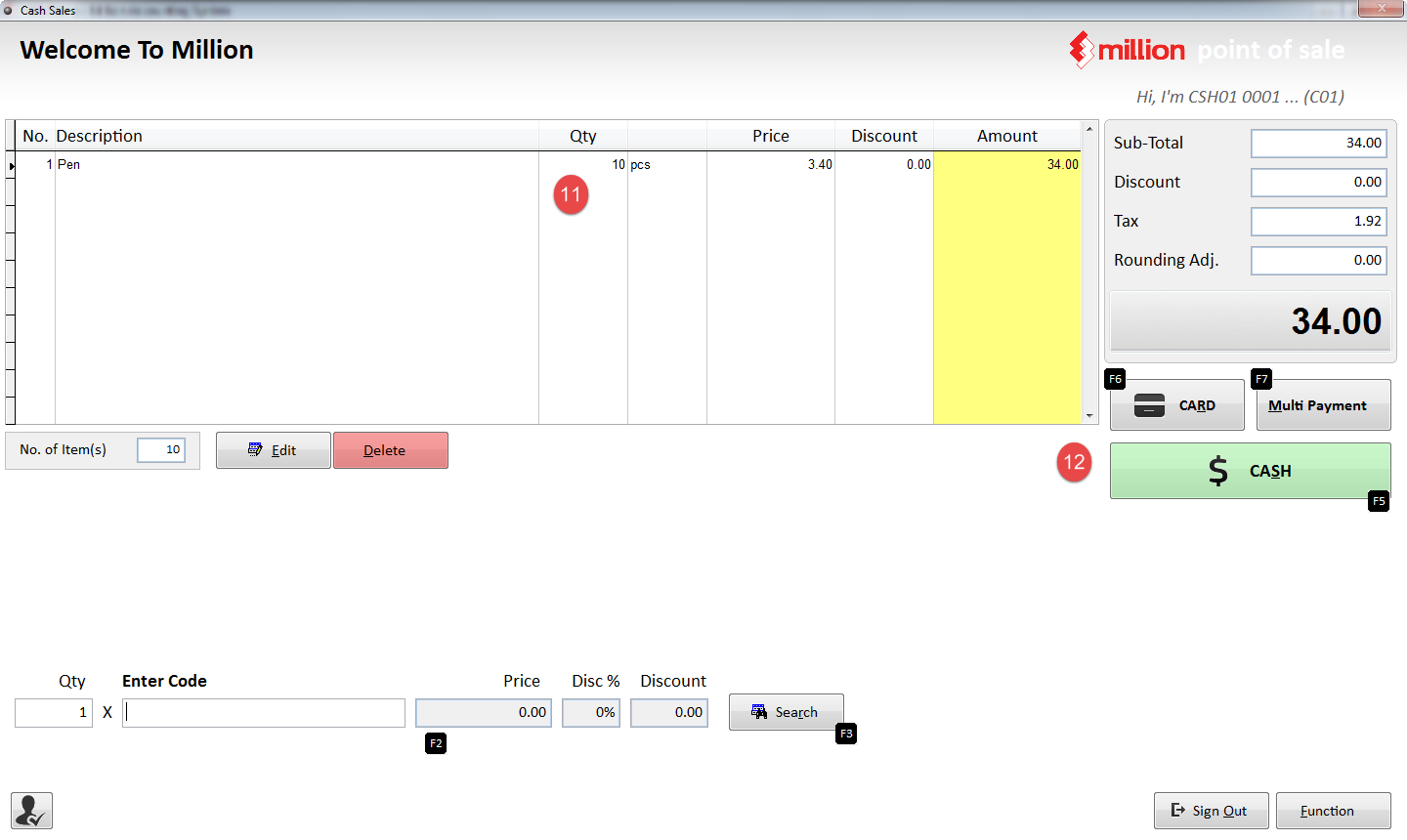
Recalled Sales Transaction
This cashier screen shows the transaction restored with items, totals and payment choices.
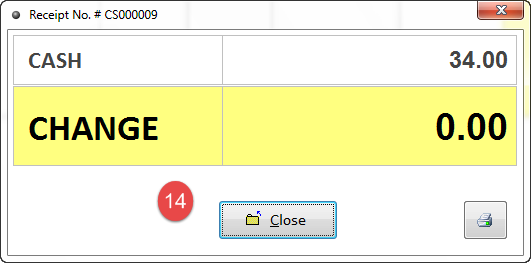
Cash Change Confirmation
The completed payment popup displays cash received and the resulting change.
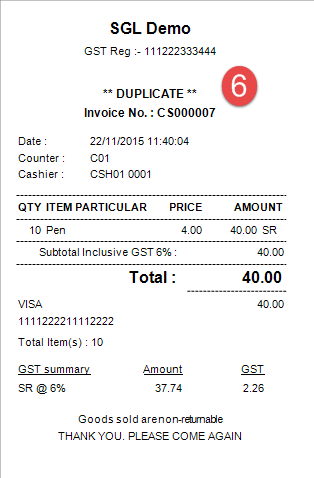
Duplicate Receipt Print
The receipt output is marked as a duplicate and includes cashier, invoice and payment information.
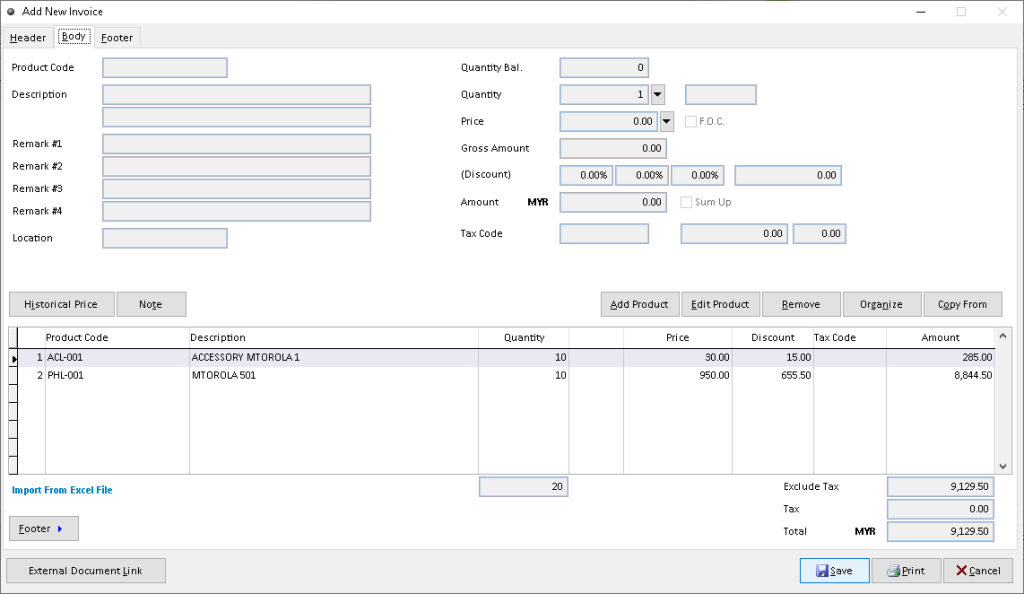
Sales Invoice Item Lines
The Million sales invoice screen shows item entries used to record quantities and prices.
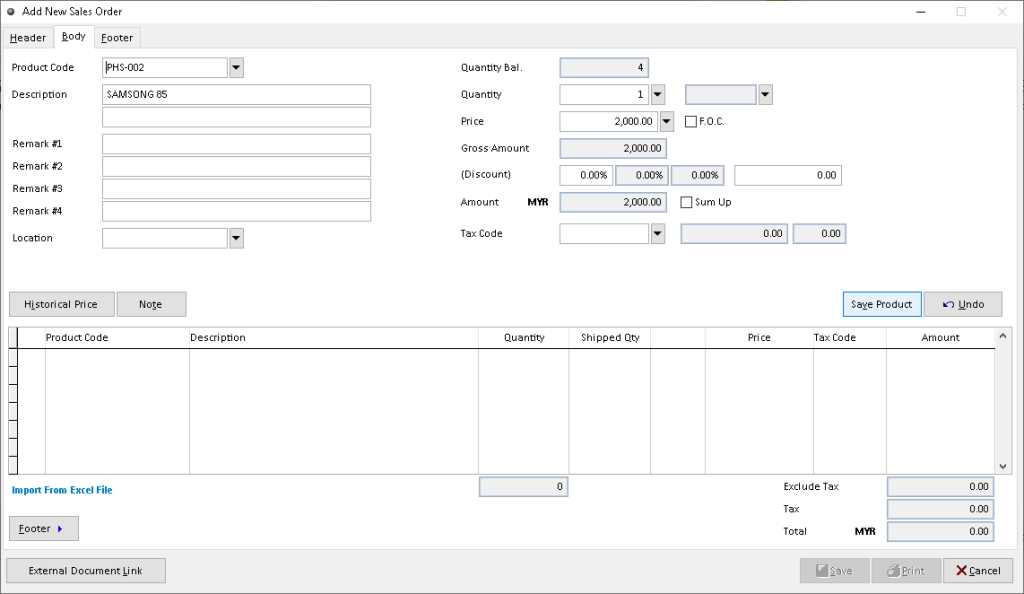
Sales Order Details
This Million sales order screen displays item and order details for a customer transaction.
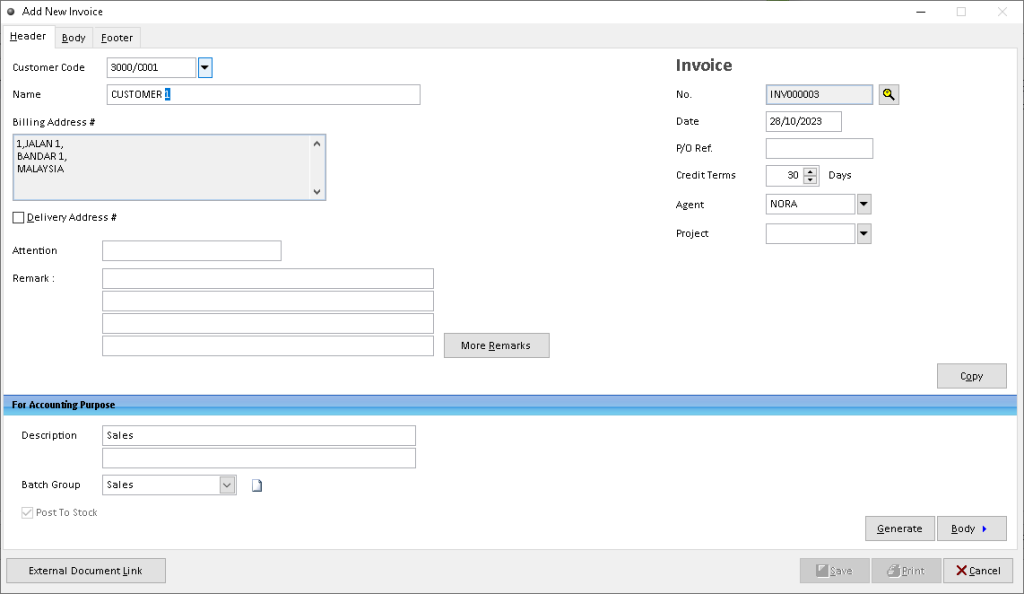
Invoice Creation
The Million Accounting sales invoice entry screen begins a new billing document.

Million Application Navigation
The application menus provide access to purchasing and accounting functions.
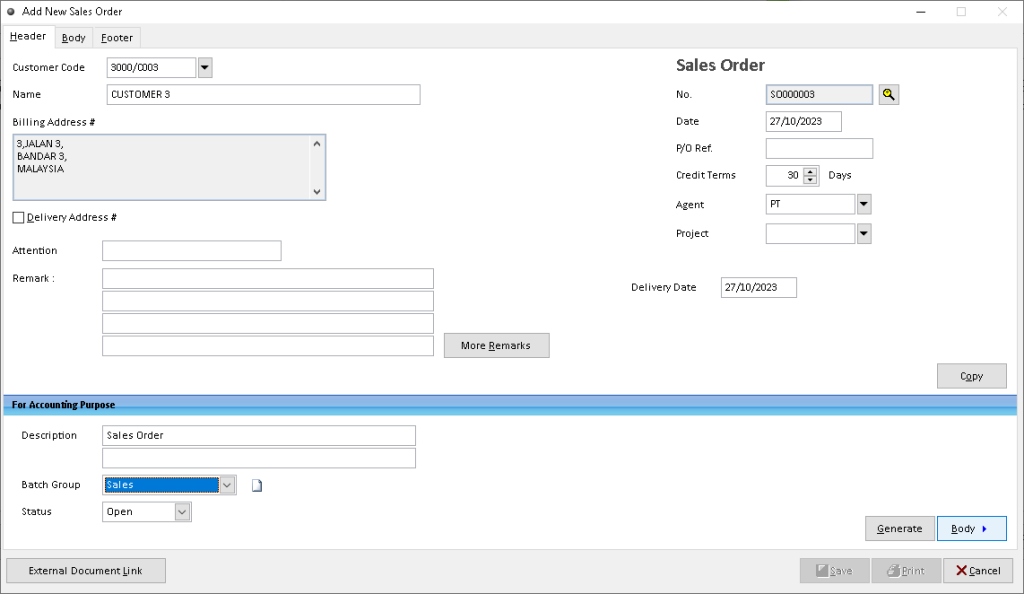
Sales Order Entry
This screen shows sales order entry in Million Accounting.

Supplier Invoice Entry
This purchase invoice screen records supplier documents in Million Accounting.
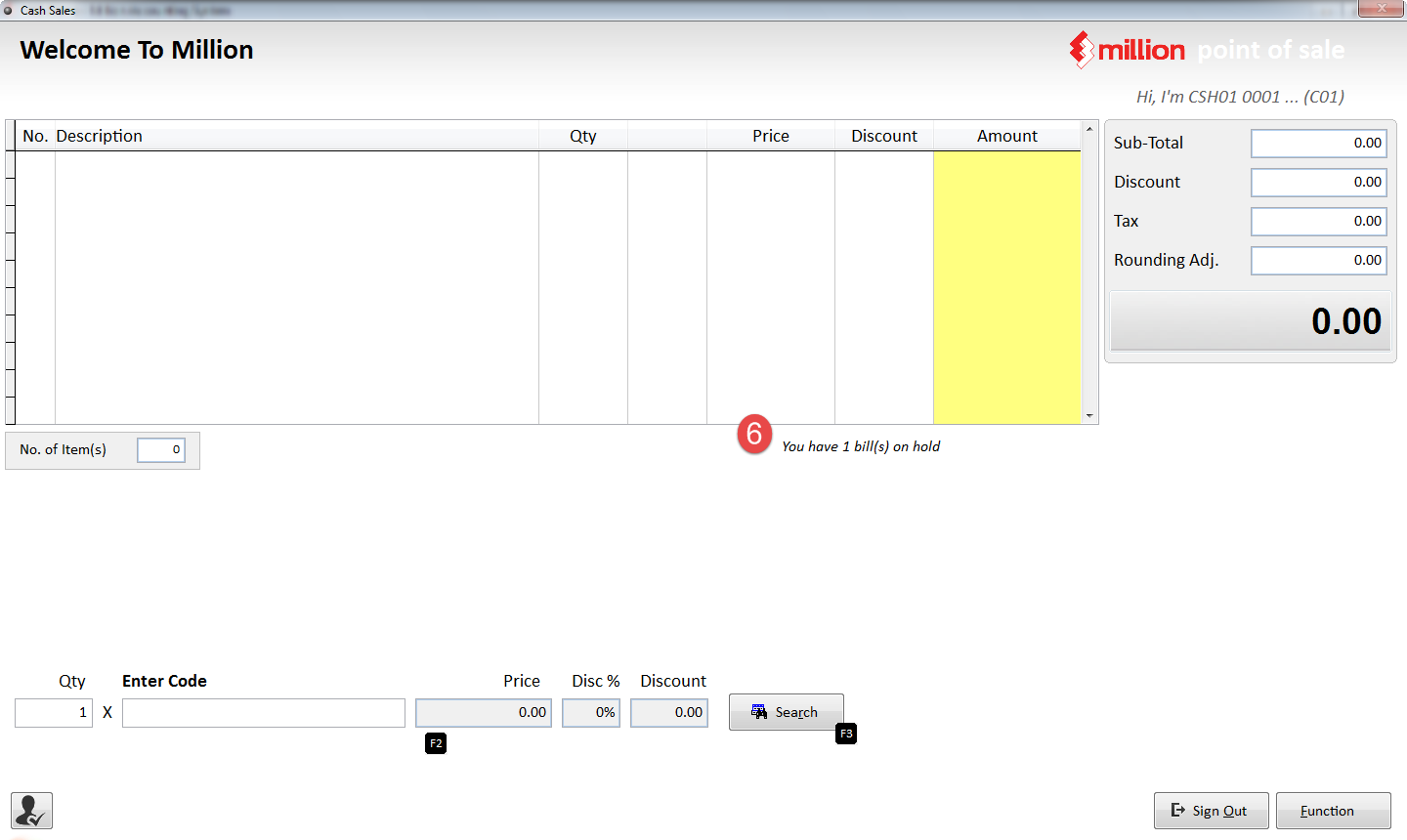
Cashier After Bill Hold
The cashier view indicates that a bill is held while the counter becomes available for another sale.
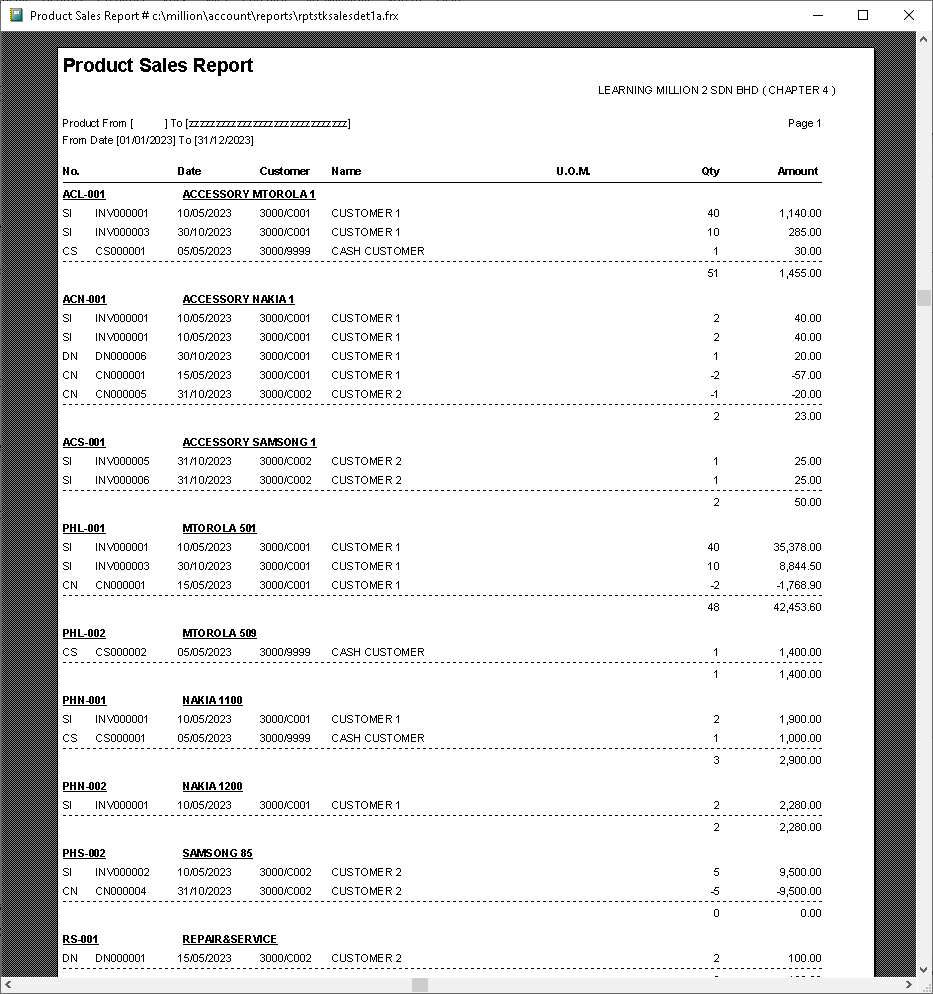
Product Sales Report
The report preview displays sales information for analysis.
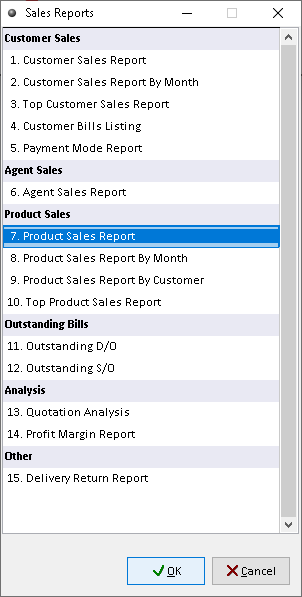
Sales Reporting Menu
The Million sales reporting menu provides options for selecting sales reports.

Ledger Transaction Details
Ledger information allows accounting staff to inspect posted transaction details.

Cashier Function Menu
The Function dialog provides reprint, previous-change, on-hold and recall actions.
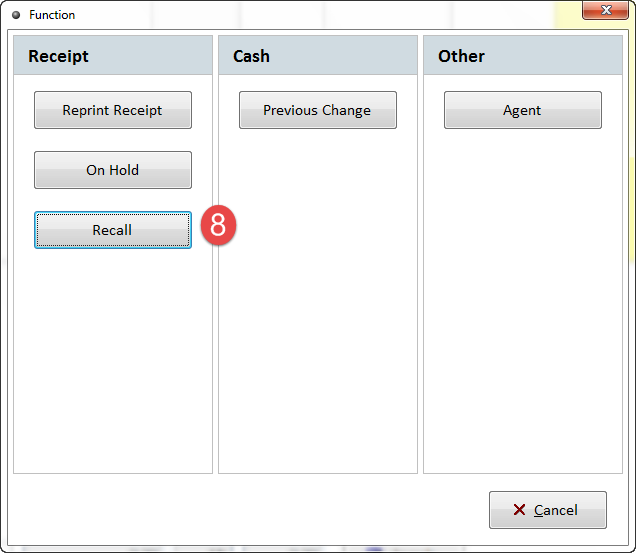
Recall Function Selection
The cashier Function dialog highlights the Recall command.
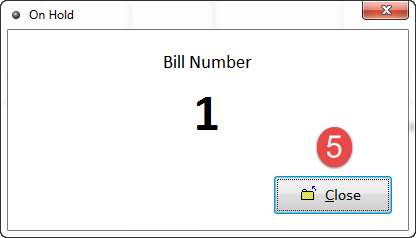
Held Bill Number
Million POS confirms the number assigned to an on-hold sale.
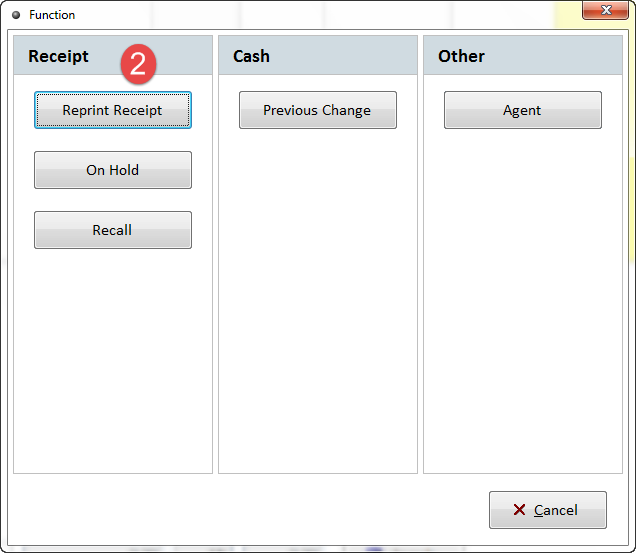
Reprint Receipt Command
The Function dialog highlights the command used to reprint an earlier receipt.

Cash Sale Receipt
This printed sales receipt records the bill total, cash amount and change.
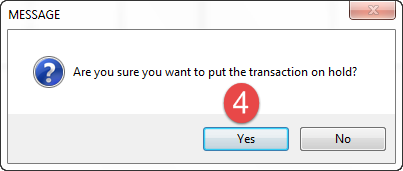
Confirm Put Bill on Hold
The confirmation dialog asks whether the current transaction should be put on hold.
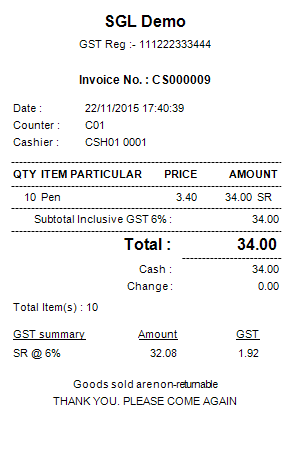
Final POS Receipt
The completed POS receipt includes purchased items, cashier and payment details.
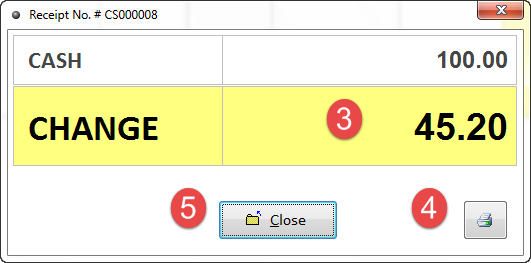
Previous Cash Change
The Previous Change dialog displays the change calculated for the last qualifying cash transaction.

Cashier Function Access
The cashier sales screen shows access to the Function menu, used for further counter operations.
From first document to final settlement.
Explore the sales and purchasing processes in Million Accounting Software using genuine Million interface screenshots. Each step uses a different Million software screenshot. The Goods Received stage uses an explicitly identified related stock-line screen.

Prepare a customer quotation
Open Sales > Quotation, select a customer, enter the requested items, quantities and prices, and save the quotation.
An approved quotation documents the proposed price and scope before the customer places an order.
Screenshot: Actual Million Quotation entry form.
Confirm the customer order
Open Sales > Sales Order and record customer and product information. Depending on the workflow, use related documents as a reference.
A saved sales order tracks ordered quantities before dispatch or invoicing.
Screenshot: Actual Million Sales Order entry form.
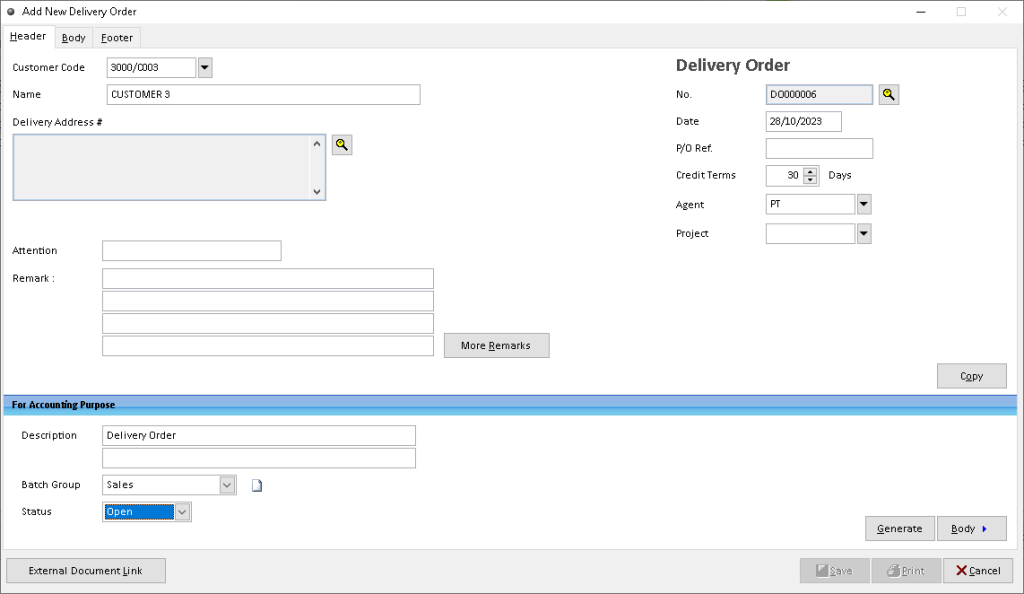
Record the delivery
Use Sales > Delivery Order to enter the goods being delivered. The Generate function can link relevant existing sales documents.
A delivery document supports checking which items were supplied and their quantities.
Screenshot: Actual Million Delivery Order entry form.
Create the sales invoice
Open Sales > Invoice and enter the customer, product lines and billing details. Where appropriate, generate the document using an earlier sales record.
The invoice establishes the billed amount and provides a reference for collection.
Screenshot: Actual Million Sales Invoice entry form.
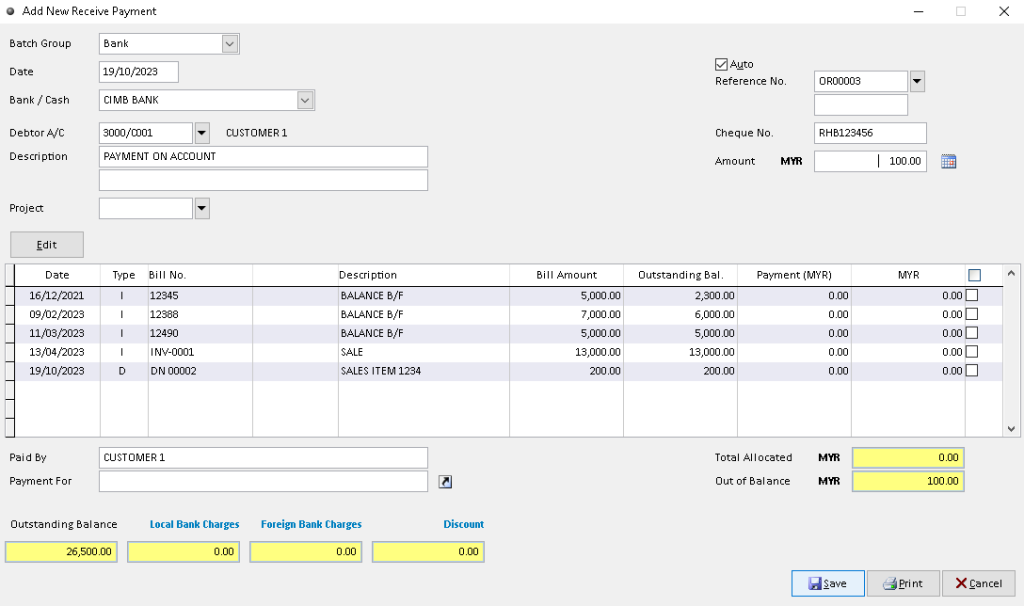
Record the customer payment
In Debtors > Receive Payment, select the customer, enter the payment account, date and amount, and match the relevant outstanding bill.
The receipt reduces the outstanding receivable when correctly allocated.
Screenshot: Actual Million Receive Payment entry form.

Place a supplier purchase order
Open Purchases > Purchase Order and record the supplier, products, ordered quantities and agreed prices.
A purchase order records purchasing commitments separately from the receipt of goods.
Screenshot: Actual Million Purchase Order entry form.
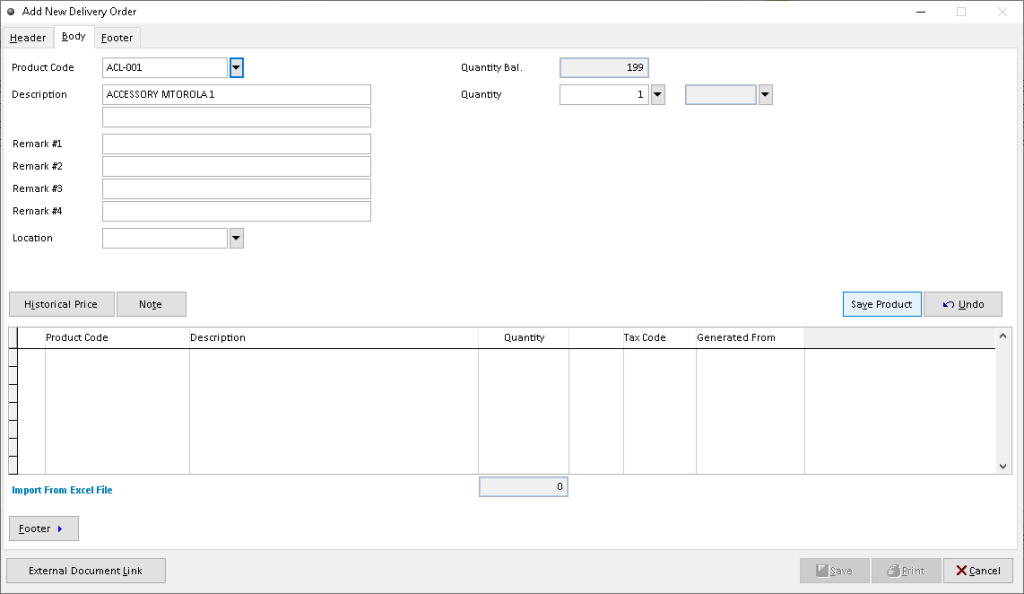
Check incoming stock
Open Purchases > Goods Received Note, confirm which products arrived and capture the actual received quantities.
Recording physical receipts allows staff to track incoming stock and discrepancies.
Screenshot: Million stock-related interface used for the receiving step; actual screen layout may vary by edition.

Record the supplier invoice
Open Purchases > Purchase Invoice to capture items, quantities and billed prices, and reconcile it with supplier documents.
The purchase invoice records amounts associated with the supplier purchase.
Screenshot: Actual Million Purchase Invoice item-entry form.
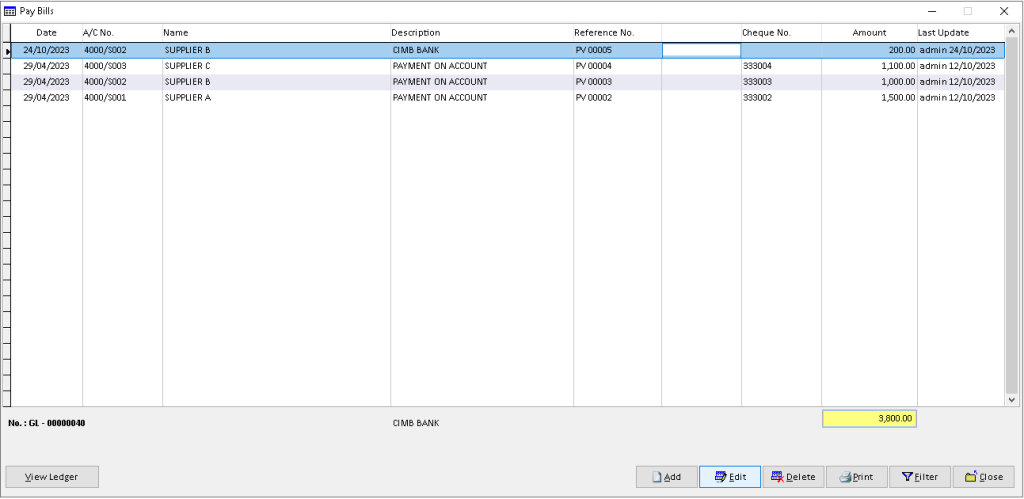
Pay the supplier
In Creditors > Pay Bills, choose the supplier and payment account, enter payment particulars and select the bills to settle.
Proper bill allocation maintains an accurate supplier outstanding balance.
Screenshot: Actual Million supplier Pay Bills entry form.

Review the posted transactions
Use View Ledger to review the posted customer, supplier or general-ledger entries within the selected period.
Ledger review provides an audit trail for reconciling purchasing and settlement.
Screenshot: Actual Million View Ledger screen.
Features and data effects depend on your Million edition and configuration. Each screenshot now links to the relevant Million software page. For best production reliability, download approved image assets and host them on your own domain.
Retail Challenges, Million Solutions.
Discover how Million POS supports faster checkout, flexible payments, stock visibility, sales reporting and controlled cashier access.
Checkout queues slow down service.
Manual item searches and complicated sales screens increase cashier time, particularly during busy trading periods.
Speed up everyday transactions.
Million POS offers a touch-screen-friendly sales interface, favorite items and shortcut keys designed to simplify item selection and cash collection.
- Touch-screen sales interface
- Favorite items for quick selection
- Shortcut keys for cash collection
Mixed payment methods complicate checkout.
Cashiers may need to process several payment methods in a single sale, increasing the risk of recording errors.
Handle multiple tender types.
Million POS supports multiple payments, including transactions involving more than one credit card, to help cashiers complete customer purchases.
- Multiple payment handling
- Support for multiple credit cards
- Clearer payment recording at checkout
Inventory is difficult to track.
Disconnected sales and stock records make it harder to identify stock movement and investigate differences.
Connect sales with stock control.
Million offers stock-control capabilities and integration with its POS, invoicing and accounting products. Available functions depend on the modules deployed.
- Product and stock records
- Stock movement and balance reports
- Stock-control integration options
Not every cashier should have full access.
Unrestricted access to POS functions can weaken operational control and make responsibilities harder to separate.
Manage access by user group.
Million POS lets businesses manage staff access through user groups, helping align available functions with cashier responsibilities.
- User-group access controls
- Role-appropriate cashier permissions
- More controlled POS operations
Sales performance is hard to review.
Without structured reporting, owners spend extra time reviewing daily takings and understanding product performance.
Turn transactions into useful reports.
Million POS provides reports for reviewing sales activity. Its published materials describe cash-sales, collection and stock-related reporting.
- Review sales and collections
- Analyze sales activity
- Use available inventory-related reports
From invoice creation to LHDN validation.
Follow Million Accounting’s e-Invoice process from invoice preparation to submission, status checking and customer sharing. Submit and Review link to original Million-published software screenshots, not unrelated tutorial thumbnails.
Prepare the sales invoice
Create a sales invoice in Million Accounting and review the customer, products, quantities, tax information, Tax Identification Number (TIN), and classification code where required. Correct incomplete information before e-Invoice submission.
Image: Million Accounting sales invoice entry screen.
Send a document through Million
Million Accounting documents both manual submission to MyInvois and automatic submission after saving, when enabled and configured. Confirm the relevant credentials, intermediary registration, and submission settings before sending.
The image above is cropped from the Million-published screenshot guide when the browser permits PDF loading. The example is a credit-note submission, illustrating the same e-Invoice Documents module; it is not a standard-sales-invoice example.
Check the Million submission status
In Million, filter Send Documents by Sent to review submission records, date and unique ID. A Sent record alone should not be described as LHDN Valid without checking the validation outcome. If the submission fails or is rejected, investigate the reason, correct the underlying invoice details and retry in accordance with the application guidance.
The image above is cropped from the Million-published screenshot guide when the browser permits PDF loading. The example is a credit-note submission, illustrating the same e-Invoice Documents module; it is not a standard-sales-invoice example.
Provide the validated invoice
After successful LHDN validation, provide the customer with the appropriate validated e-Invoice or its permitted representation and verification details. Use the supported document print/export process for your installation.
Image: Million Accounting sales invoice item view, not the validated e-Invoice preview.
Choose the correct submission type.
Availability, eligibility and submission rules depend on LHDN requirements and your installed Million version.
Submit an individual sales invoice through the configured Million Accounting–MyInvois workflow. Manual and automatic submission methods are covered in Million tutorials.
Example: An invoice issued to a business customer.Prepare a consolidated submission for qualifying sales transactions under current LHDN rules. Million provides a dedicated consolidated e-Invoice tutorial.
Example: Eligible retail sales not requiring individual e-Invoices.Use the self-billed workflow for qualifying transactions in which the purchaser issues the e-Invoice on the supplier’s behalf. Million has a specific self-billing tutorial.
Example: Certain foreign-supplier transactions, subject to the rules.MILLION SOFTWARE / SYSTEM COMPATIBILITY
System requirements.At a glance.
Published Million Software requirements and checks for POS, accounting and business software deployment.
| Operating system | Microsoft Windows 10 or later | Current general software listing |
|---|---|---|
| Processor | Pentium 4 or higher, 1 GHz or faster | Published minimum |
| Memory (RAM) | 8 GB or more | Current general software listing |
| Storage | Approximately 1 GB of free disk space for the software | Allow additional space for data and backups |
| Display | Super VGA, 1024 × 768 resolution or higher | Published requirement |
| Input devices | Mouse or compatible pointing device | Published requirement |
| POS peripherals | Compatibility with POS hardware is advertised; verify specific receipt printers, barcode scanners, cash drawers and drivers | Confirm device models before purchase |
| Database and networking | Database engine, supported version, server sizing and multi-user network setup depend on the Million product and deployment | Confirm with Million or your installer |
Million POSMade for the Way You Sell.
From busy supermarkets and cosmetics shops to hardware stores, wellness retailers and fashion boutiques, Million POS supports everyday counter sales, item selection and payment workflows. Available features depend on your configuration.
Million POS across different retail environments. Explore the types of stores that may benefit from straightforward checkout and sales tracking. Store photographs are illustrative; features depend on your licensed software and setup.
 01 / 05
Supermarkets & Convenience Stores
Support busy grocery counters with barcode scanning, quick item entry and payment processing; confirm stock syncing for your deployment.
 02 / 05
Beauty & Cosmetics Shops
Ring up cosmetics, skincare and beauty accessories, apply configured prices and manage everyday cashier transactions.
 03 / 05
Hardware & DIY Stores
Find tools, fittings and building supplies by item code or search, then process purchases at the counter; stock functions depend on setup.
 04 / 05
Pharmacies & Wellness Retailers
Handle front-counter sales of healthcare, wellness and personal-care products; verify any batch, expiry or regulated-item requirements separately.
 05 / 05
Fashion & Apparel Boutiques
Process clothing and accessory sales with item lookup and configured pricing or discounts; size and colour tracking requires confirmation.
Choose the right Million POS setup for your business.
Million POS provides a touch-enabled sales screen, staff access controls, fast item selection, multiple payment handling and reporting. Confirm any Accounting or Stock Control integration and hardware compatibility for your licensed deployment.
Smarter tools for growing businesses.
Manage accounting, invoicing, stock, retail sales and payroll with Million’s business software solutions. Select the modules that match your daily operations.
Multi-Company Accounting
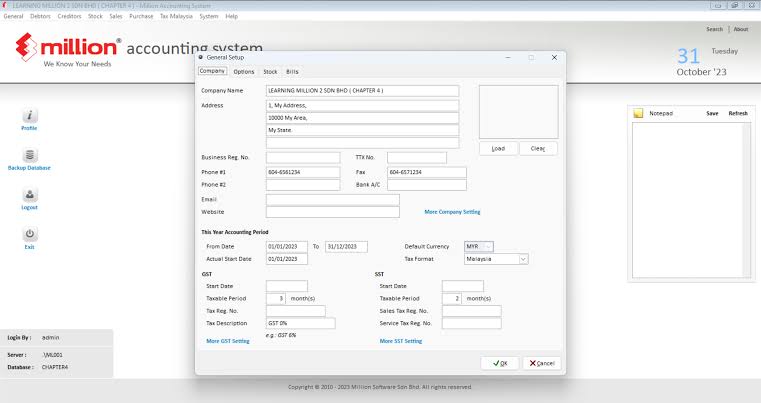
Maintain separate company accounts and transactions within Million Accounting.
Multi-Currency Transactions
Issue receipts and record customer payments in different currencies.
Project Accounts
Assign relevant accounting transactions to projects and review project-related results.
Serial & Batch Tracking
Use serial numbers and batch expiry tracking for applicable stock items in Million Stock Control.
User Access Rights
Configure user groups and permissions for controlled access to business functions.
Financial Reports
Review general ledger, trial balance, profit and loss, balance sheet and ageing reports.
Stock & Accounting Integration
Connect Million Stock Control with Million Accounting for integrated stock and financial records.
Audit Trail Reports
Review audit trail reports to support transaction accountability and financial checks.
Practical business controls.
Core tools across Million’s accounting, invoicing, stock and payroll products. Features depend on the modules selected.
Recurring Invoices
Prepare recurring invoices for repeat billing requirements.
Simpler repeat billingMulti-Location Stock
Monitor inventory quantities across configured stock locations.
Better location-level visibilityStock Valuation
Manage inventory valuation using supported costing methods.
More structured stock costingCredit Limits & Terms
Maintain customer credit limits and payment terms as part of sales administration.
Clearer credit oversightInvoice Templates
Use ready-made or customised invoice layouts for customer documents.
Consistent business documentsPayroll & Statutory Reports
Calculate salary, EPF, SOCSO and PCB with Million Payroll.
Malaysia-focused payroll processingSoftware solutions in focus.
Keep stock movements organised.
Record stock receipts, issues, transfers and adjustments, with multi-location inventory and serial or batch tracking where configured.

Connect sales and financial records.
Manage quotations, sales orders, invoices, customer accounts and accounting reports through Million’s accounting and invoicing tools.
More ways to run your business.
Retail checkout
Use Million POS for counter sales with a straightforward sales screen and touch-screen support.

Payroll processing
Process monthly, daily or hourly pay, allowances, deductions and Malaysian statutory contributions.

Bank reconciliation
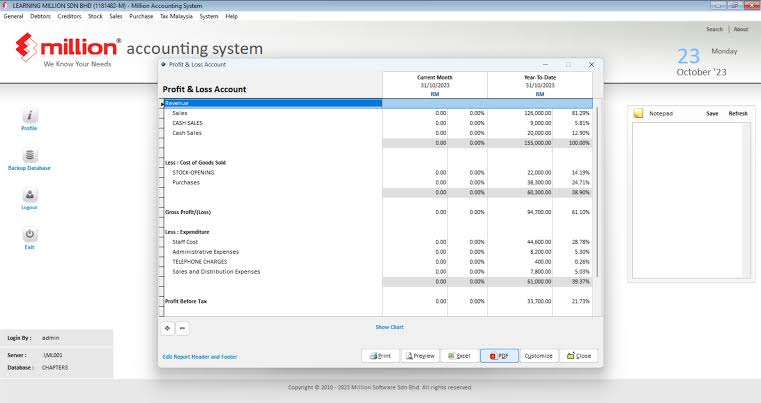
Review bank transactions, compare recorded entries against statements and identify outstanding items using Million Accounting’s bank reconciliation screen.
Million Software. Built Around Your Business.
Explore how Million POS supports retail checkout, how Popcorn Cashier serves restaurants and cafés, and how configured user access and software modules support growing operations.
Barcode / favourite item
Quantity & discount
Cash / card / receipt
Sales & collection
Speed up the retail checkout.
Million POS offers a touch-friendly sales screen, favourite-item shortcuts and multiple payment handling to simplify busy retail transactions.
Inventory tracking and accounting connections depend on the purchased Million modules and setup.
Table / online / takeaway
Kitchen / bar printing
Split / join / move bill
Payment / receipt
Serve cafés and restaurants with Popcorn Cashier.
Million promotes Popcorn Cashier as its cloud-based restaurant and café POS, with menu choices, order handling, kitchen printing and flexible settlement options.
Popcorn Cashier is a separate Million-listed F&B product; features depend on the subscribed plan and connected equipment.
Sales entry
Sales entry
Access permissions
Cashier reports
Support more than one cashier.
Million POS includes user-group access controls and sales reporting. Multiple licensed users can be considered for businesses operating several cashier stations.
Multi-user licensing, database sharing and simultaneous-terminal support must be confirmed for the selected Million POS package.
Module setup
POS sales records
POS sales records
Reports by location
Plan sales and stock across locations.
Million Stock Control offers multi-location stock functions, while Million POS provides sales reporting. A multi-outlet deployment requires the correct products and an agreed integration setup.
Automatic outlet synchronisation is not assumed; verify network design, licensing and supported reporting with your Million supplier.
Frequently Asked Questions
Answers to common questions about Million Accounting, Million POS, Stock Control, Malaysia e-Invoicing and choosing the right software for your business.
What is Million Software, and which solution should I choose?
Million Software offers Accounting, Accounting & Invoicing, Stock Control and POS products for different business workflows. Million Accounting manages financial records and debtor and creditor transactions; Accounting & Invoicing adds sales documentation; Million Stock Control manages products and inventory; and Million POS supports counter sales. Choose the products and licenses that match your business operations.
Can Million manage quotations, invoices and customer payments?
Million Accounting & Invoicing supports sales documentation such as quotations, sales orders, delivery orders and sales invoices. Million Accounting also provides debtor receipt functions to record incoming payments and review outstanding balances. The available document flow depends on the products and features installed.
How does Million handle stock control and purchasing?
Million Stock Control supports real-time stock updates, multiple locations and stock-related reporting, with integration options for Million Accounting. Purchasing workflows can record purchase orders, goods received and purchase invoices in supported modules. Specific features such as serial numbers, batch tracking and stock valuation depend on your licensed configuration.
Does Million support Malaysia e-Invoicing?
Million Accounting provides Malaysia e-Invoice functionality for supported editions and setups. Its documented workflows cover standard, consolidated and self-billed e-Invoices, including preparation of classification details and submission to LHDN MyInvois. Businesses should review submission results and follow the current LHDN requirements for each transaction type.
Can Million manage multiple companies and stock locations?
Million advertises multi-company capabilities in its accounting range and multi-location functions in Million Stock Control. Businesses with several branches can evaluate how retail sales, stock records and accounting data should be separated, integrated or reported. Cross-location visibility depends on the chosen Million products and deployment design.
How do I set up Million Software and get support?
Start by outlining how your business handles sales, payments, purchasing, stock and reporting, along with the number of users and locations. A Million Software dealer or implementation partner can help select products, configure company data and permissions, import suitable records and train staff. Check your chosen support and backup arrangements before going live.